


The 10 Best Product Discovery Tools for Product Teams
Discover how product discovery tools reduce development risks, explore 10 leading options, and find the right fit for your team's research and AI needs.



At the roadmap review, Sales opens with a list of customers asking for a custom report builder. They want it in next quarter's plan.
The product managers pull up the analytics dashboard to show that not even one in five accounts open the existing reports page.
The design team has a prototype of a simpler fix, but nobody has put it in front of a customer yet.
Everyone in the room has evidence, and each piece came from a different tool. But nobody can say which idea customers will value most. So the debate goes to whoever holds out longest.
Product discovery tools help settle this kind of debate with evidence. Some help you analyze what people do inside your product. Others capture what customers ask for or let you test an idea before engineers write any code.
Below, you'll find 10 product discovery tools, how each helps you arrive at insights, and their limitations. You'll also learn if you need to use more than one tool to gather all the data you need.

TL;DR: product discovery tools in brief
- Product discovery is how you decide what to build. Discovery reduces four risks before delivery: value, usability, feasibility, and business viability.
- Discovery tools fall into five groups: research and insights, product analytics, testing and validation, feedback capture, and prioritization. Four of them collect evidence, from observed behavior to what customers say, and prioritization tools link that evidence to items on your roadmap.
- Choose tools to reduce the risk your team most often misjudges or underestimates. Then check that each tool sends its evidence to where your team makes decisions.

How product discovery tools reduce risk
You run product discovery alongside delivery to decide what to build next. Teresa Torres described continuous product discovery as weekly touchpoints with customers, run by the team building the product.
Marty Cagan of SVPG names four risks that discovery has to address.
- Value risk asks whether customers will buy or use your product.
- Usability risk asks whether they can figure it out.
- Feasibility risk asks whether your engineers can build it.
- Business viability risk asks whether it works for your business.
Cagan argues that value risk is usually the toughest, and failure data suggests the same.
CB Insights studied 431 VC-backed startups that have shut down since 2023. Of the 385 with known reasons, poor product-market fit was a cause in 43%.
Inside an established company, the same failure looks like a feature you launch that goes unused. Value testing in discovery helps you catch that failure.
The table below shows the question each tool group answers, the evidence it collects, and the risk it reduces. Behavioral evidence records what people do, such as clicks and drop-off. Attitudinal evidence records what they say they think, need, or prefer.
Feasibility and viability risk need the right people as well as the right tools. To reduce feasibility risk, bring engineers into discovery early, so they can flag hard ideas and estimate effort while ideas are still cheap to change. To reduce viability risk, review ideas with stakeholders such as sales, marketing, finance, and legal, who can check fit with your sales channels, pricing, contracts, and compliance.
Once you know which evidence a question needs, the product discovery techniques behind each group help you plan the study.
Product discovery tools at a glance
The cost columns reflect each vendor's pricing page on October 26, 2026.
The 10 best product discovery tools
1. Marvin
Best for: Product teams that need interview, test, and feedback evidence behind each roadmap decision.
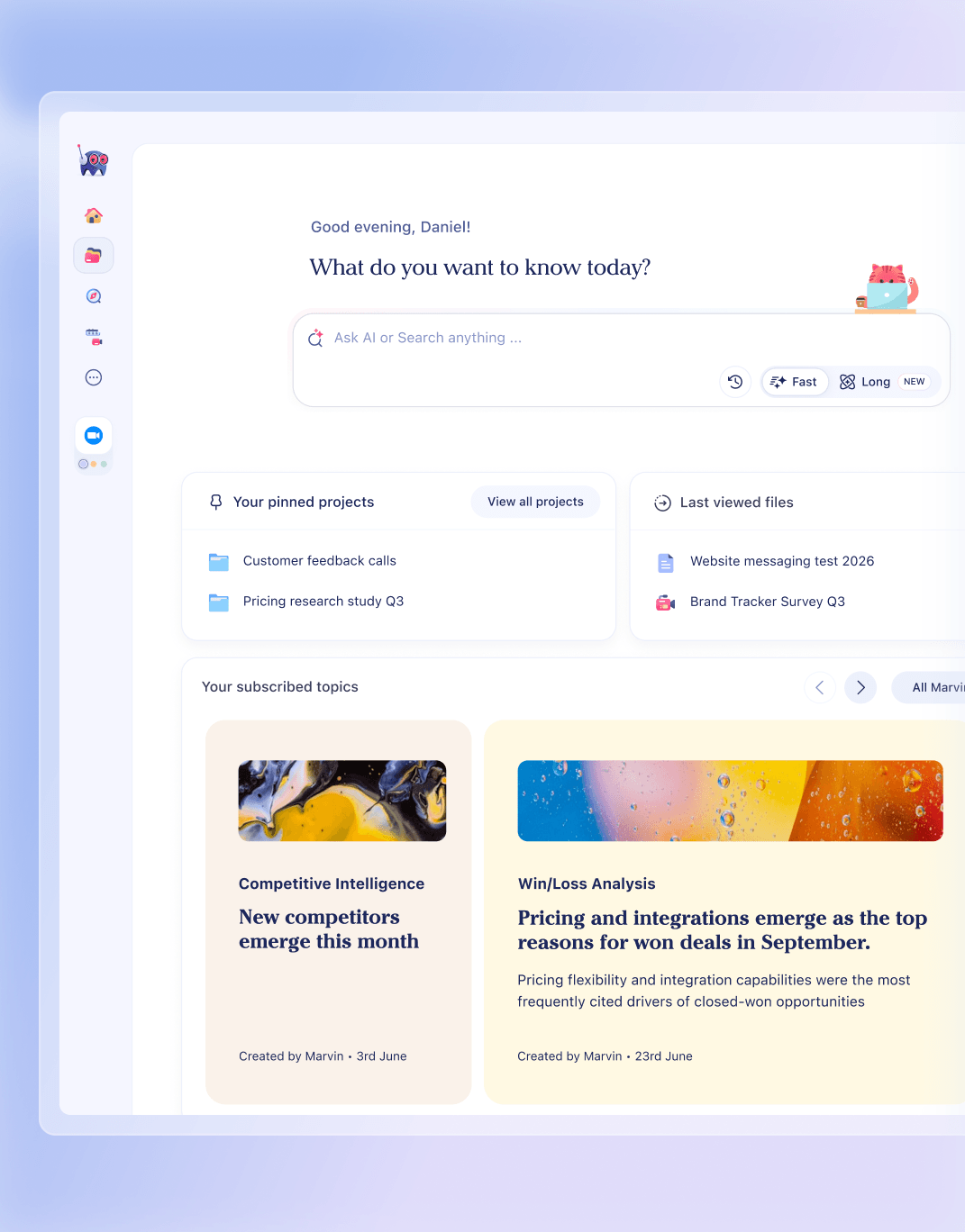
Marvin is an AI-native customer insights platform. In a discovery stack, it covers research and insights, testing and validation, and feedback capture, and it supplies evidence for prioritization.
To test a concept before engineers build it, teams use the AI Moderated Interviewer, which conducts voice interviews from a discussion guide in more than 40 languages. The researcher sets how deeply it follows up on each question. Participants can test a prototype from Figma or any public URL.
To learn why people get stuck in your product, Live Intercept embeds the AI interviewer on your website or in your product. When someone visits a chosen page or takes a chosen action, it invites them to a voice interview on the spot, with screen sharing.
To hear from customers in live discovery interviews, the AI Notetaker joins Zoom, Google Meet, or Microsoft Teams calls to transcribe and take notes. A research panel with CRM sync lets teams recruit from their own customers.
To see what customers already say about an idea, more than 30 integrations bring in survey answers, support tickets, and sales calls from tools such as Qualtrics, Zendesk, and Gong. In Analysis Studio, teams run thematic and emotion analysis across that evidence and use Deep Research for hypothesis testing and jobs-to-be-done analysis.
To keep discovery evidence reusable, Marvin stores everything in a Knowledge Hub with a global taxonomy, a shared tag system. So a theme tagged in one study matches the same theme in the next.
To back a roadmap decision, Ask AI answers questions with citations to the source quotes and clips. For example, you might ask, "Why do accounts export raw data instead of using the reports page?"
Teams share insights in Slack, Jira, Figma, and Salesforce, and in AI assistants such as Claude, ChatGPT, and Copilot through Marvin MCP. Included Health reported quadrupling its research output without growing the team. Microsoft's Responsible AI team reported using Marvin to synthesize 2,000 research notes.
Strengths: Qualitative and quantitative data searchable in one place, with answers that link to their sources. Viewers browse findings for free without getting access to the underlying raw research, with unlimited viewer seats on Enterprise. Marvin holds a SOC 2 Type II report and ISO 27001 and ISO 42001 certifications, and is GDPR compliant. HIPAA compliance, automatic PII redaction, and Okta and SAML SSO come with Enterprise or the Compliance add-on on Pro.
Keep in mind: Marvin doesn't track in-product behavior. You'd pair it with an analytics tool such as Pendo, which it integrates with.
Book a demo to see how Marvin runs your interviews, analyzes them with your surveys and support tickets, and answers discovery questions with citations.
2. Maze
Best for: Testing prototypes and designs with participants before engineering starts.
Maze describes itself as a user research platform. You import Figma prototypes and run unmoderated usability tests and surveys. Results show where testers succeed or drop off on each screen.
Card sorting, tree testing, and interview studies are available on the Enterprise plan.
Strengths: Quick setup from Figma, a participant panel, and AI-moderated interviews.
Keep in mind: AI moderation is only available on the Enterprise plan. Usability test results show how people handle a design rather than whether they need the feature.
3. Productboard
Best for: Linking customer feedback to feature ideas and roadmaps.
Productboard is an agentic product management system. Teams pull in feedback from tools such as Zendesk and Gong. Spark, its AI agent, links that feedback to feature ideas.
Like other prioritization tools, Productboard helps you decide which idea to build next. Each idea collects the feedback behind it, and teams score ideas against goals or factors such as reach, impact, and effort. That makes the trade-offs visible before an idea goes on the roadmap.
Strengths: Prioritization tied to objectives and roadmap views for different audiences. Contributor seats don't count toward the paid maker total.
Keep in mind: Productboard has no product analytics of its own. You'd import usage data from tools such as Amplitude and Mixpanel.
4. Jira Product Discovery
Best for: Product teams that already plan and track delivery work in Jira.
Jira Product Discovery is Atlassian's tool for capturing ideas, attaching evidence to them (it calls these insights), scoring them, and sharing roadmaps. Ideas link directly to Jira delivery work, so your engineers can see the evidence behind each item.
Strengths: Native links to Jira work and custom scoring fields.
Keep in mind: Jira Product Discovery stores evidence collected elsewhere and runs no research or analytics itself.
5. Pendo
Best for: Measuring feature adoption and asking users questions inside the product.
Pendo combines product analytics and in-app guides. Higher tiers add session replay, in-app surveys, and Listen, a module for collecting and prioritizing feedback. You can see where users drop off and trigger a survey at that step.
Strengths: Behavior data and in-app feedback in one place, with Jira and Salesforce integrations.
Keep in mind: Pendo tracks data only in apps where it's installed. Prospects and former customers fall outside its surveys.
6. Amplitude
Best for: Analyzing behavior at scale and running experiments on live features.
Amplitude covers product analytics, session replay, feature experiments, and in-product surveys. You use funnels and cohorts to find where a journey breaks, then test a fix with live traffic.
Strengths: A free plan, built-in experimentation, and AI agents that help answer analysis questions.
Keep in mind: Experiments need enough traffic to reach a reliable result. Explaining why users behave a certain way still takes research.
7. Contentsquare (now includes Hotjar)
Best for: Seeing how visitors move through a website or app with heatmaps and session replay.
Hotjar merged into Contentsquare in July 2025, and Contentsquare keeps Hotjar's heatmaps, session replay, and surveys.
Strengths: Visual evidence that non-analysts can read, plus on-site surveys and a free Experience Analytics plan.
Keep in mind: Contentsquare shows what visitors do on your own site or app. The reasons behind that behavior still take research.
8. Canny
Best for: Collecting, deduplicating, and ranking feature requests from customers.
Canny is an AI-powered customer feedback platform. Customers vote on requests on feedback boards. Canny's Autopilot feature pulls requests out of support conversations and merges duplicates.
Strengths: Prioritization that can weigh the revenue of requesting accounts, plus a public roadmap and changelog.
Keep in mind: Requests come from your most vocal customers and often describe a solution. You'll still need research to find the problem underneath. For more options in this group, compare customer feedback tools.
9. Dscout
Best for: Diary studies and other in-context research that follows participants over days or weeks.
Dscout is an experience research platform that research teams use for in-context, longitudinal studies. In a diary study, participants submit video, photo, and screen-recording entries from their phone or computer as moments happen.
The platform also runs interviews, usability tests, media-rich surveys, website intercepts, and AI-moderated studies. Teams recruit participants from Dscout's own panel or bring their own customers.
Strengths: Video and photo entries captured in the moment, automated pacing reminders for multi-week studies, and a built-in participant panel.
Keep in mind: Diary studies take longer to run than a quick prototype test.
10. Dovetail
Best for: Analyzing research and customer feedback a team has already collected.
Dovetail is a customer intelligence platform. Teams bring in transcripts, support tickets, and call notes. Dovetail's AI features then cluster and classify them into themes, issues, and ideas.
Strengths: Transcription and AI analysis, plus integrations with feedback sources such as Zendesk and Gong.
Keep in mind: Dovetail doesn't recruit participants or run tests, so you bring your own data.
How to choose product discovery tools
Atlassian's State of Product 2026 report draws on a Wakefield Research survey of 700 product professionals. Respondents work at companies with 500 to 10,000 employees. In it, 84% worried their current products wouldn't succeed, yet 40% said they run little or no experimentation.
Prioritizing features was the second most-cited challenge, at 37%. So the tool you add should make testing easier every week and help you rank ideas by the customer evidence behind them.
Here's how to narrow your options:
- Start from roadmap decisions. List your bets for next quarter and the risk each one carries. Is your biggest unknown usability, as in a redesign of a known workflow? Start with a testing tool.
- Pair behavior with reasons. Choose one source of behavioral evidence and one of attitudinal evidence, since each answers what the other can't. Analytics indicate where users stall, and interviews or usability testing methods explain why.
- Check traceability. Ask whether you can link a roadmap item back to the quotes, sessions, or test results behind it.
- Check participant access and governance. Confirm how you'll reach participants every week. You might use a panel, in-product intercepts, or your own customer list. Then check each tool's consent, PII redaction, and permission controls.
- Weigh one platform against specialists. The better fit depends on how many evidence sources you use and how many people need answers. For example, say you collect interviews, surveys, and support tickets, and 20 people ask questions of that evidence each month. That mix suits one broad platform. Do you mostly run prototype tests? A specialist testing tool may suit you better.
- Pilot with an upcoming decision. Run a real question through the tools you're testing for two weeks. Score each tool on time to a usable answer and on whether findings trace to their source. Then check whether your decision makers opened the result.
Settling the roadmap debate
If you had to settle the debate between Sales, Product, and Design from the roadmap review, here's how the evidence could come together. In this illustrative example, Sales still wants the custom report builder. The design team's simpler fix is a set of ready-made report templates.
- Analytics adds behavioral evidence on value risk. Most visits to the existing reports page come from a few large accounts. Most other accounts skip that page and use the export button on their dashboard to download raw data instead.
- Interviews add attitudinal evidence on value risk. Your researcher interviews eight admins from accounts that export their data, four of them from accounts Sales named. Six say their managers want the same few charts every week, and rebuilding them in spreadsheets takes too long. The other two need reports no template would cover.
- A prototype test adds behavioral evidence on usability risk. The design team puts the template options next to the export button and tests the prototype. In the test, 10 of 12 admins set up a weekly report in under five minutes without help.
The result? Your team puts report templates in next quarter's plan. That's because they meet the need most accounts described, and admins could set them up.
The custom builder stays in discovery, focused on what the largest accounts need. When Sales asks why, you link the roadmap item to the interview clips and test results.

What to check in a discovery tool's AI features
Several tools on this list, including Marvin, Productboard, Canny, and Dovetail, use AI to sort and summarize the evidence behind a decision like the one above. Before you rely on those summaries in a roadmap review, it helps to know how far teams trust them.
In a separate Atlassian survey of 521 product managers, 45% didn't trust the accuracy or reliability of AI outputs. In the same survey, 46% couldn't see how AI fit their workflow or lacked integrations.
Do you plan to bring AI summaries into a roadmap decision? Four checks show whether an AI feature's output can support that decision. Here's what to check:
- Check that every output cites its source. A summary or theme should link to the quotes, sessions, or tickets behind it. That way, you or anyone on your team can open the evidence and judge it.
- Check that people can correct the AI. Researchers should be able to rename, merge, or remove an AI-suggested tag. Later analysis should then use the corrected version.
- Check that results reach your team's tools. An insight can inform a decision only if the PM sees it. So it needs to reach the place where your team plans and discusses work, such as Jira or Slack.
- For AI-moderated interviews, check follow-up control. The researcher should be able to set how deeply the interviewer follows up on each question. Every summary should link back to the recording.
As AI makes evidence faster to collect, teams that can show where each claim came from will decide better.
Bring the evidence to your next roadmap review
The tools above help you collect evidence and link it to ideas. But evidence can settle a roadmap debate only if it's ready before the team decides.
Marvin is an AI-native customer insights platform. You can run AI-moderated and live interviews and prototype tests, and bring in surveys and customer feedback. You analyze that evidence in Analysis Studio, store it in the Knowledge Hub, and send insights to Slack, Jira, and Figma.
Request a demo to see how Marvin can bring interview, test, and feedback evidence to your next roadmap review.
Frequently asked questions
Product research tools focus on running and analyzing studies, such as interviews and usability tests. Discovery tools add analytics, feedback capture, and prioritization. If you mainly need the study side, see this guide to product research tools.
Product trios of a PM, a designer, and an engineer usually run discovery week to week. Researchers run the larger generative and cross-team studies and coach the trio on interviewing and synthesis. They also set research standards for consent and for checking AI summaries before the team uses them in a roadmap decision.
Product trios of a PM, a designer, and an engineer usually run discovery week to week. Researchers run the larger generative and cross-team studies and coach the trio on interviewing and synthesis. They also set research standards for consent and for checking AI summaries before the team uses them in a roadmap decision.

See Marvin AI in action
Want to spend less time on logistics and more on strategy? Book a free, personalized demo now!