.png)
.svg)




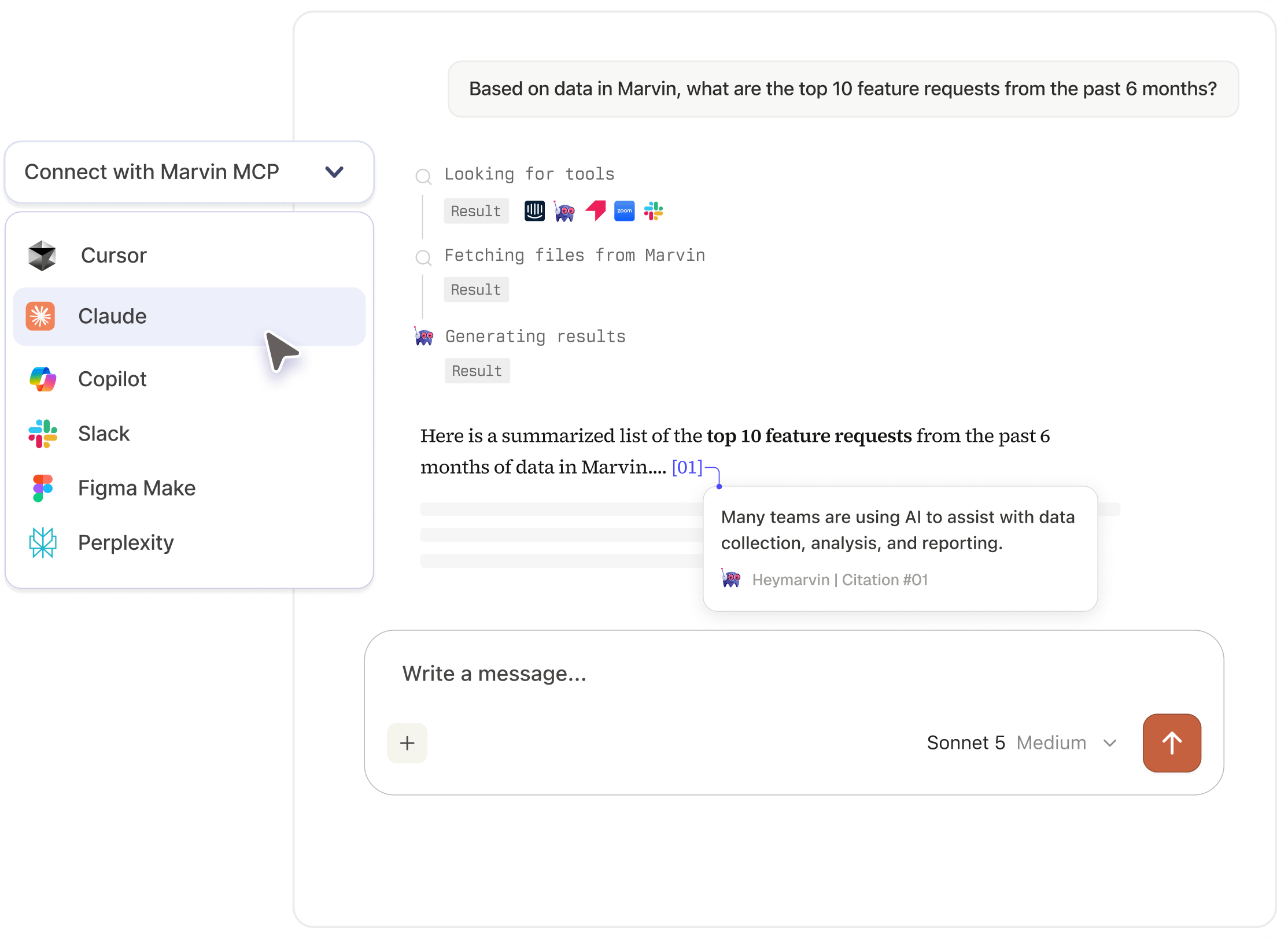

Query Marvin from any MCP-compatible tool for cited customer insights, right where your team already works.
















Research has entered the chat

.webp)

.webp)
.webp)
Get started in 3 steps

25%
vs
25%
Connect Marvin MCP
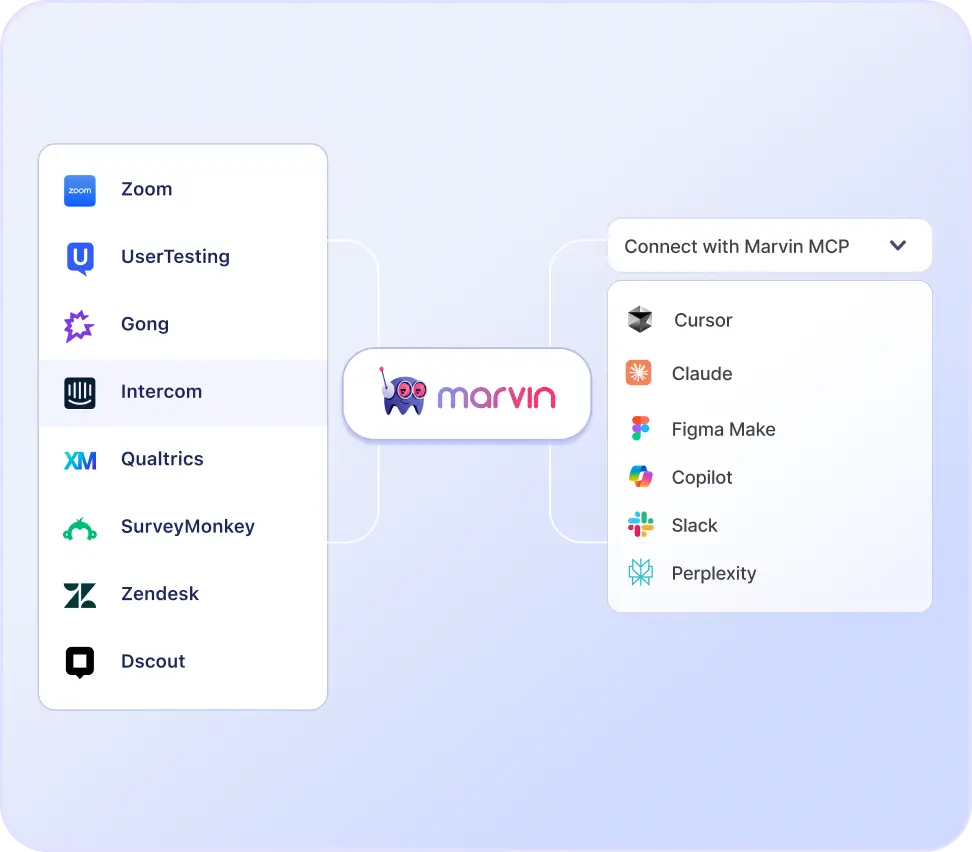
Add Marvin as a Custom Connector inside your AI tool. Works with any MCP-compatible tool. Admins can turn it on from Settings > Developer > Enable MCP.

25%
vs
25%
Authorize access
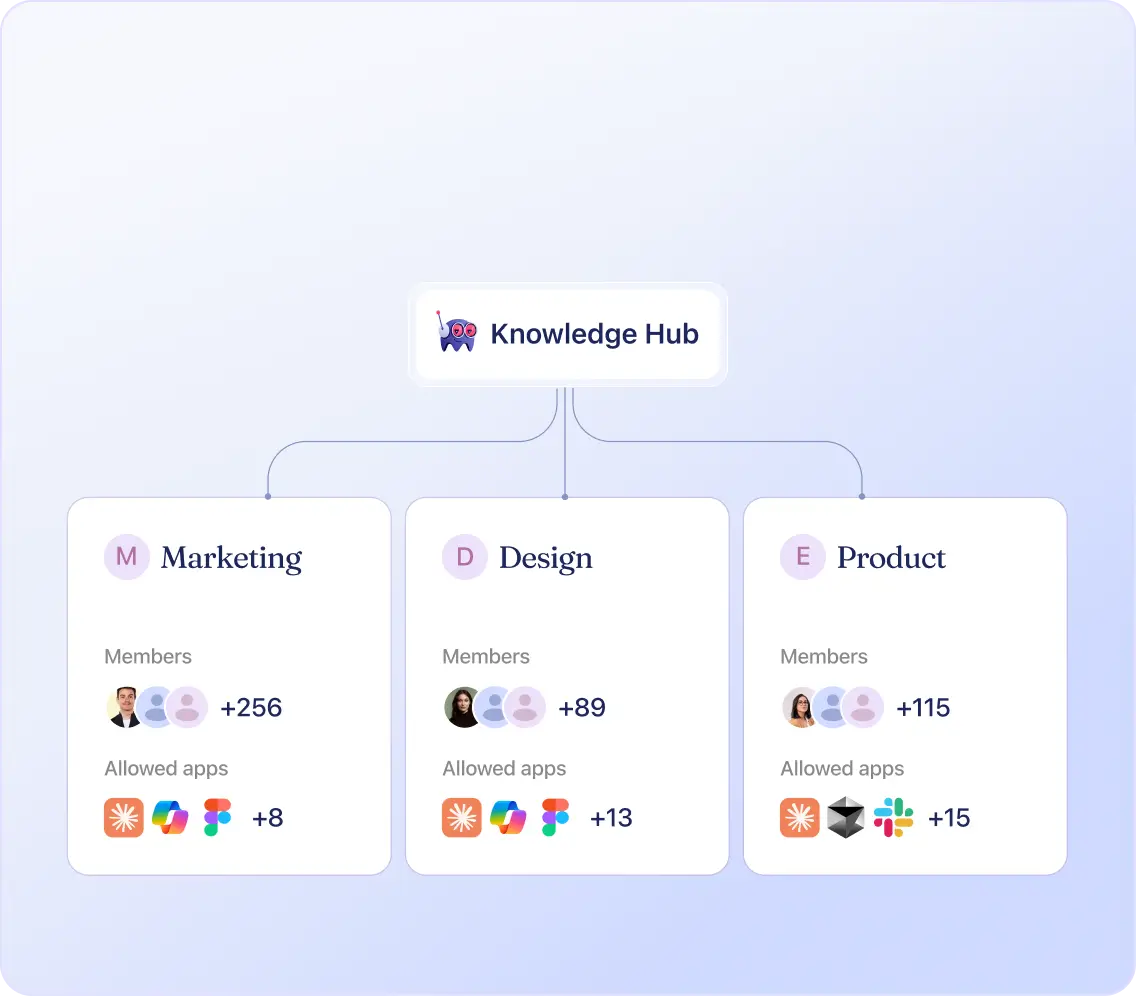
Accept the OAuth request to connect your account. You’ll automatically have access to all the data that's already shared with you in Marvin.

25%
vs
25%
Go from question to deliverable
Explore your research, add industry context, and turn what you learn into reports, briefs, plans, and presentations.
Built for how modern teams work
Augment your expertise with Marvin AI Agents.
Built for how modern teams work

Researchers
Triangulate your Marvin findings against market data to strengthen your research before presenting to stakeholders.

Product Managers
Pull real customer quotes, clips, and highlight reels from Marvin and build a first draft PRD in minutes.

Designers
Chat with Marvin from inside Figma Make to surface relevant research and update your designs without leaving your canvas.

Product Marketers
Build a messaging agent or run competitive intelligence using your company’s own customer research as the source.

Customer Success Managers
Pull the last three months of conversations, tickets, and interviews from Marvin to build a QBR presentation.

Sales Reps
Do account research with customer data from your CRM, support tickets, industry research, and more before every call.
Data privacy and security, built into every workflow










Keep exploring Marvin MCP resources
Dig into security, setup, and real-world ways teams are putting MCP to work.
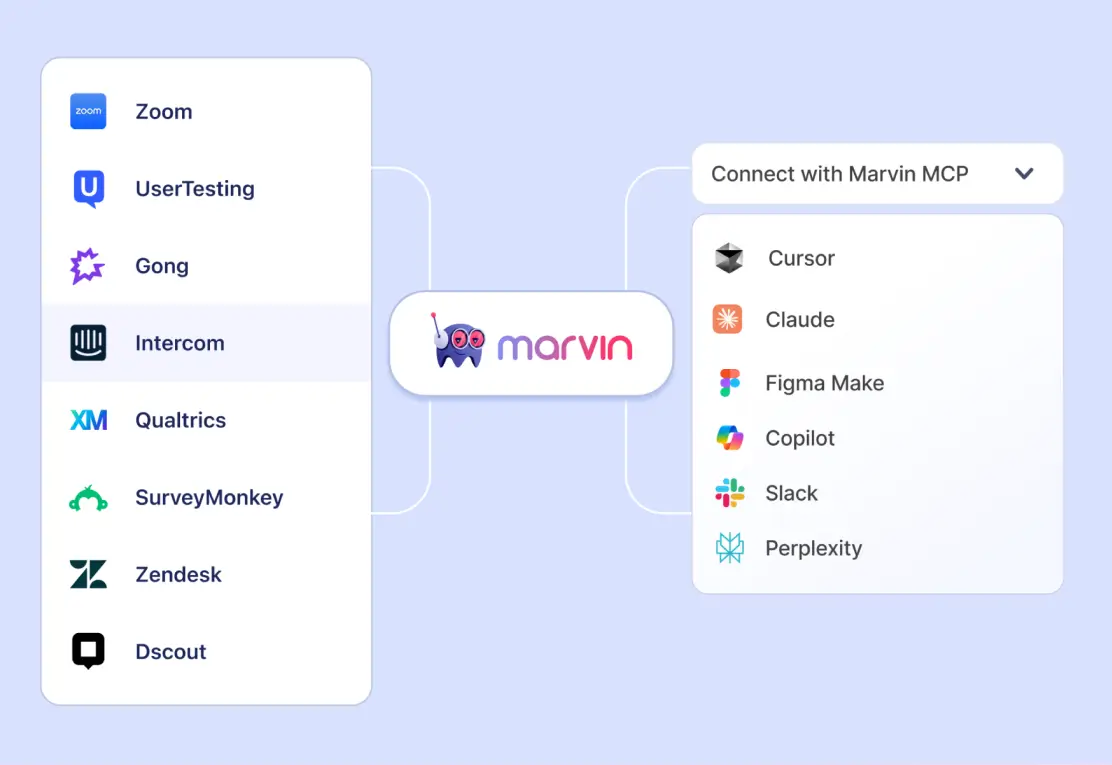

Marvin MCP Is Here: Get Cited Customer Insights in Any AI Tool
See how Marvin MCP connects your customer knowledge to the AI tools your team already uses.

The MCP Security Checklist
Seven questions to help you evaluate security before connecting customer research to AI tools.


How Modern Researchers Are Using MCP (and Why It Matters)
Hear how research teams are using MCP in practice, including what worked, what didn’t, and what they learned.
Frequently asked questions
Marvin MCP is built on the Model Context Protocol, an open standard developed by Anthropic that allows AI assistants and agents to connect securely to external data sources. Marvin uses this standard to give AI tools like Claude, ChatGPT, and Copilot direct access to your company’s customer knowledge repository. It gives every team in your organization instant access to customer insights directly inside their AI workflows or switching tabs.
Marvin MCP connects to any MCP-compatible AI assistant or agent, including Claude, Microsoft Copilot, ChatGPT, Perplexity, Gemini, Cursor, Figma Make, and many more. As the MCP standard continues to be adopted across the AI ecosystem, Marvin will be compatible with every new MCP-compatible tool automatically.
Marvin ingests customer data from 30+ native integrations, including Gong, Zendesk, Intercom, Zoom, Google Drive, SurveyMonkey, Qualtrics, and Salesforce. Teams can also upload data from any source or use the Marvin Import API. Everything feeds into one central customer knowledge repository, and AI tools can query any data the individual has been granted access to.
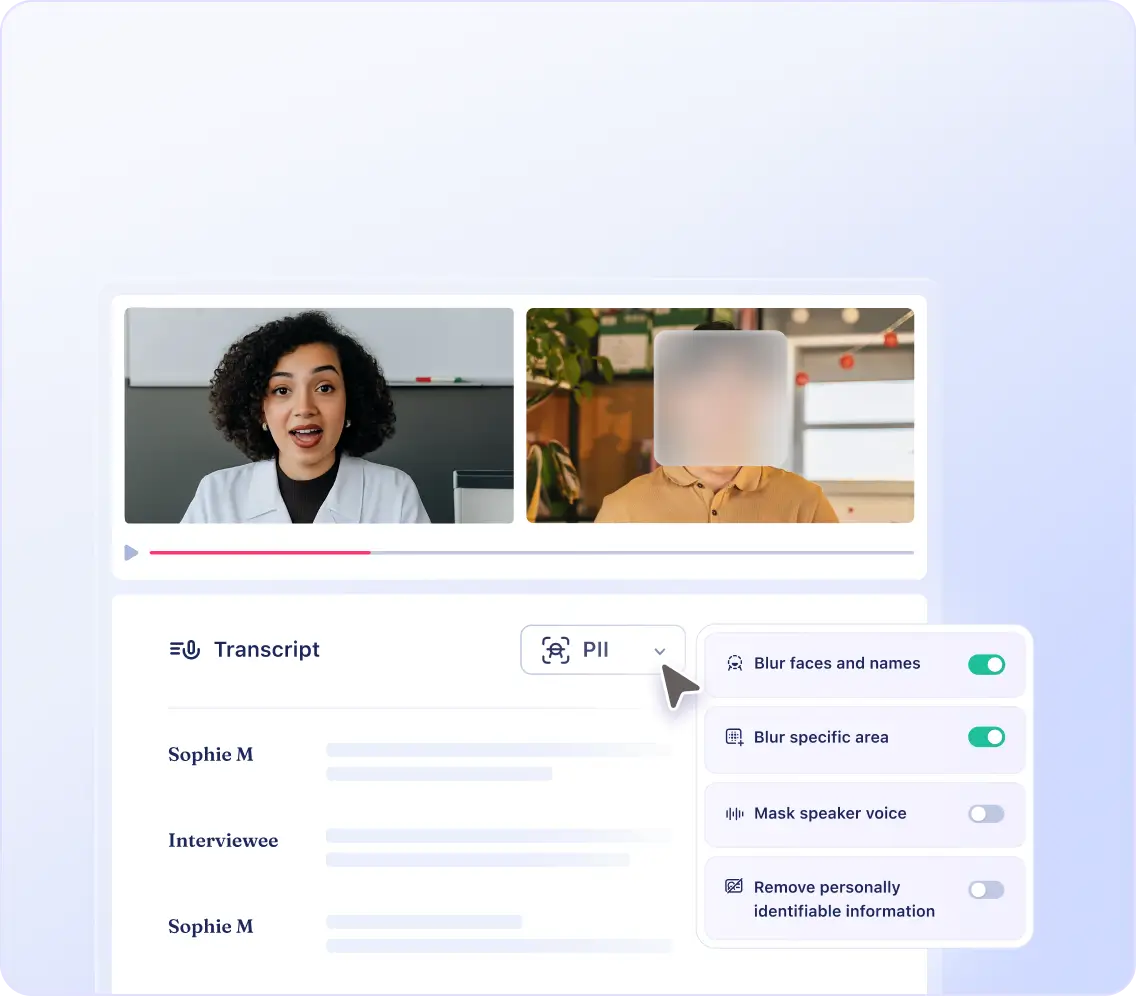
When configured, Marvin automatically redacts PII and blurs faces in video recordings before data is stored or surfaced through any MCP connection. PII that has been auto-redacted in Marvin stays permanently redacted across every connected AI tool. Access through Marvin MCP respects your existing permission structure, so users only see data they are authorized to see, regardless of which AI tool they are querying from. Marvin is SOC 2 Type II, GDPR, and HIPAA-compliant. As always, teams should be mindful of the data they share with general-purpose AI tools, follow their company's policies, and adhere to all applicable laws.
General-purpose AI tools like Claude and Copilot generate answers from broad training data or web content. Marvin MCP pulls exclusively from your company's own customer knowledge, including user interviews, surveys, support tickets, sales calls, and market research, and cites every answer back to a specific source. The result is verified, traceable customer insight grounded in what your actual customers said, not what the internet says.
Setting up Marvin MCP takes minutes. Connect Marvin to your preferred AI tool through the app's connector panel using OAuth authentication. Enterprise admins can generate and manage access tokens directly from Admin Settings in Marvin. Here is the full setup guide.


Your AI tools just got a lot smarter about your business
Connect Marvin in minutes. No IT ticket required.