.png)
.svg)


Marvin MCP Basics: Easily Bring Customer Insights into Every AI Tool
Best practices to connect your customer insights from Marvin to your AI tools



Your company knows more about your customers, brand, competitors, and the market than it thinks.
Somewhere between that survey from Q2, the sales call nobody wrote up, the support tickets piling up, and the interview transcript still sitting in someone's Drive folder, you already have the answer to most of the questions your team asks in Slack every week.
Knowledge exists. It's just scattered across a dozen tools, a hundred docs, thousands of call recordings, and a few people's memories. Marvin was built to bring it all into one place.
But centralizing it only solves half the problem. Finding the right information at the right moment, that's the part everyone actually struggles with.
This is the era of MCP. Welcome! We’re glad you’re here, and we can’t wait to give you the full tour.
Every team is rushing to deploy AI tools across their organization and learning together what they can and cannot do well. All AI tools become more valuable with context. But what happens when every tool operates from a different set of context?
Marvin MCP provides a shared context layer for every team and AI tool to keep everyone aligned and make decisions faster. We’ve created this playbook so you can get a deeper look at Marvin MCP, discover best practices, and deliver trustworthy insights to teams right when they need them. Let’s get started.
In this guide
- What is Marvin MCP?
- What Marvin MCP can do
- When to use Marvin vs. general-purpose LLM vs. both
- Best practices
- Prompt writing tips
- Security and permissions
- Admin setup guide
- Frequently asked questions
What is Marvin MCP?
Here’s a quick refresher before we get into the weeds: MCP (or more formally, Model Context Protocol) is an open standard from Anthropic that lets AI tools plug into outside data sources.
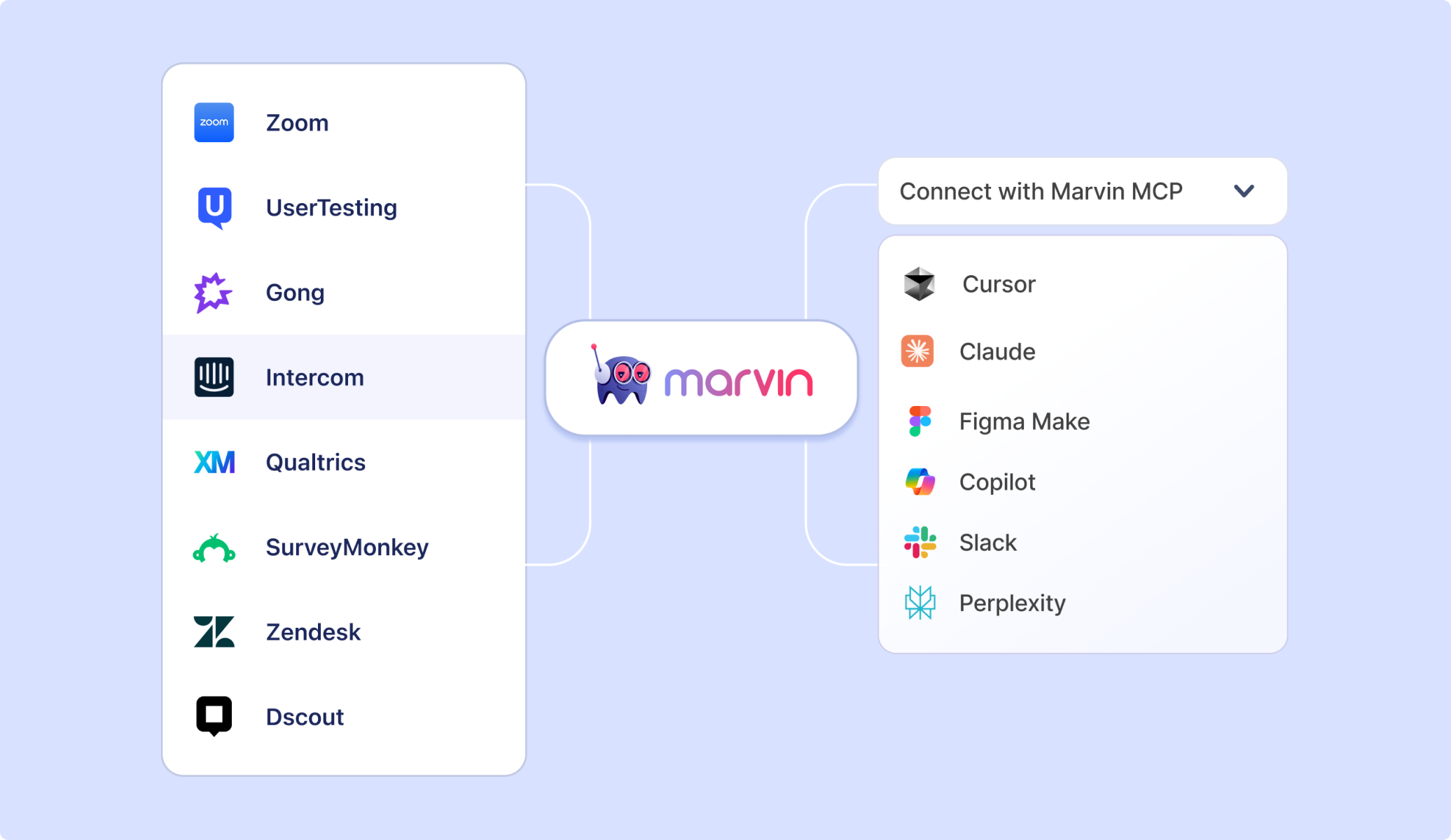
We launched Marvin MCP to connect your Marvin workspace to whatever AI tool you’re using. This way, anyone on your team can ask about customers, competitors, or past research from inside Claude, ChatGPT, and so on. Everyone can get answers based on your company’s own data, not just the open web.
That makes a huge difference. Take this scenario, for example.
Let’s say you ask Claude about customer pain points without Marvin. It will give you a reasonable-sounding answer based on what it learned from the internet. It might even sound confident. But it isn't grounded in anything your customers actually said, and there's no way to verify it. Ask two people on the same team the same question and you can get two different answers. Everyone isn’t operating from the same insights.
Now, ask the same question with Marvin MCP connected, and you’ll find out what customers actually said, with citations. Every response draws from interviews, surveys, studies, and any research stored in Marvin and links back to the original source.
If that sounds like it could do wonders for your business, you’re right. Marvin MCP helps reduce costs because not everyone needs a subscription to every app your company uses, and it’s designed to be secure so no information can get in the hands of people who shouldn't have it.
In the first two months since launching Marvin MCP, more than 40 enterprise teams connected. It’s clear every company now has a need for a shared knowledge repository.
What Marvin MCP can do: The full capability set
The modern teams we work with at Marvin bring all their tools together, including their knowledge base and customer evidence. This way, insights reach the right people in the tools they use, and anyone in your company can make better decisions.
It’s difficult to capture everything that Marvin MCP can do, but we’ll give you some highlights.
Offers data access & analysis
- Queries Marvin’s Knowledge Hub directly from any MCP-compatible AI tool, pulling from interviews, surveys, calls, tickets, and CRM data that already lives in Marvin.
- Searches across your entire customer knowledge repository, not just a single project or file, so answers can draw on everything you know.
- Limits retrieval to a specific project, study, persona, or topic when the prompt specifies it.
- If the answer doesn’t exist in the repository, Marvin says so rather than filling in with general knowledge or guesses.
Always generates citations (and trust)
- Returns answers with citations back to the underlying source material, so every claim is traceable.
- Pulls from your company’s own data rather than the open web or the AI model’s training data.
Works across tools
- Works with any MCP-compatible AI assistant or agent, including Claude, ChatGPT, Perplexity, Gemini, Cursor, and Figma Make.
- Pushes cleaned insights into PRDs in Confluence.
- Enables rapid prototyping by piping research into Figma and Figma Make.
- Connects via OAuth as a custom connector inside the AI tool.
- Enables in-canvas workflows, querying Marvin for cited feedback directly inside Figma Make without switching tabs.
Upholds security & governance
- Inherits Marvin’s existing permission structure, so users only see data they’re already authorized to see, regardless of which AI tool they’re querying from.
- Carries PII redaction into every connected AI tool. Once something is redacted in Marvin, it stays redacted everywhere it’s surfaced.
- Operates under Marvin’s compliance certifications (SOC 2 Type II, GDPR, HIPAA, ISO 27001/42001).
- Keeps knowledge read-only. The AI tool can search and surface knowledge but cannot edit, move, or delete anything in the Marvin workspace.
Powers workflow & synthesis
- Retrieves cited findings from Marvin, then uses the AI tool to draft summaries, briefs, PRD sections, QBR decks, or messaging around them.
- Supports role-specific workflows out of the box: Researchers triangulating findings, PMs accessing real user quotes, designers checking usability feedback mid-design, marketers pulling customer language for copy, CSMs building QBRs, and sales reps prepping account research.
- Complements (but can’t replace) Marvin’s core platform. Data collection, project management, and repository-building still happen directly in Marvin. MCP is the distribution layer on top.
When to use Marvin vs. general-purpose LLM vs. both
Marvin surfaces relevant research and data. Your AI tool can then triangulate against it. Together, they're faster and sharper because Marvin gives every team and AI tool the same customer context. The connection closes knowledge gaps and speeds up decisions.
Here’s a quick reference guide to help you know when to use Marvin, a general-purpose AI tool, or both through Marvin MCP.
Marvin MCP best practices
You’ve decided MCP is the path forward. Now let’s make sure we’re getting it right on the first try. No need for more spaghetti throwing.
Teams that get the most out of Marvin MCP follow these best practices.
1. Treat “no data found” as a real answer.
Marvin won’t guess or fill gaps with general knowledge. If the research doesn’t exist yet, it tells you, which is useful. No response shows you what’s worth researching next. Don’t push Marvin toward “best guess” framing; a known gap beats a plausible-sounding fabrication.
2. Remember permissions carry over.
Access through Marvin MCP respects your existing permission structure. You’ll only see data you’re authorized to see, regardless of which AI tool you’re querying from, PII redaction carries over automatically too. However, it’s good practice to still follow company policy on what you share with general-purpose AI tools.
3. Keep expert judgment in the loop.
Marvin’s AI is built for human-in-the-loop use. It surfaces evidence and citations, but conclusions and strategic calls are still yours to make. Spot-check citations before they go into a deck or a PRD, and dive deeper into a finding with direct access to the survey, interview, or research it came from.
How to write prompts that work on the first try
The quality of your Marvin MCP output depends almost entirely on how you frame the question. (No pressure!)
These guidelines help you generate useful responses, not the ones that make you want to slam your laptop shut for the day.
1. Name the specifics: project, persona, topic, timeframe.
Specific prompts get specific answers. Instead of asking, “What do customers think about onboarding,” try “Based on the [Q3 Onboarding Study] in Marvin, what did [enterprise admin] users say about the setup flow?” Name the project, persona/segment, topic, and if you’re looking for a specific timeline, every time.
2. Tell it what output you want, not just what to look up.
Ask for the end artifact directly. For example, “write an executive summary,” “draft a first-pass PRD section,” “build a ranked list by frequency,” or “give me a QBR outline.” A vague research question gets you raw findings. But a prompt with a specific deliverable gets you something usable.
3. Ask for evidence, not just conclusions.
When in doubt, ask for specific citations. Try, “Give me direct quotes I can reference” or “cite the interviews this comes from.” Citation is Marvin’s core differentiator, and prompts that ask for it get more defensible output.
4. Pull in analysis as well as context from Marvin.
Prompt your tool to use Marvin's Ask AI to generate answers, which can add additional context and deepen your analysis.
5. Ask it to rank or quantify, not just summarize.
For prioritization work, prompt for frequency and ranking directly. Try, “Rank them by frequency” rather than asking for a general list.
Admin setup guide: Rolling out Marvin MCP to your organization
It’s time to put this all into practice. If you’re responsible for getting your team connected, here’s a practical MCP rollout playbook to follow.
If you’re a user connecting Marvin MCP for yourself, head over to these easy-to-follow steps.
Step one: Enable MCP in your Marvin admin settings
Log into Marvin and navigate to Settings > Developer > Enable MCP. This makes the connection available to all Pro and Enterprise roles: Admins, Contributors, and Viewers. Guest and temporary users cannot connect.
You can restrict access at any time from the same settings panel. Individual users cannot self-enable if this toggle is off.
Step two: Decide which AI tools your team will connect
Marvin MCP works with any tool that supports OAuth authentication, including Claude, ChatGPT, Perplexity, Gemini, Cursor, and Figma Make. Before rolling out broadly, decide which tools are company-managed versus personal accounts.
Company-managed accounts keep your research inside your org’s governance controls. Personal accounts do not. Set a clear policy before your team connects at scale. A simple rule works well: use your company email for any AI tool you connect to Marvin.
Step three: Share the connection instructions
Each user connects individually. The process takes about five minutes. Send your team the setup steps below, along with the correct server URL for your region:
- US accounts: https://mcp.heymarvin.com
- EU accounts: https://mcp-eu.heymarvin.com
Step four: Review and tidy your project sharing settings
MCP surfaces whatever is already shared with each user in Marvin. Before rollout, do a quick audit of your project sharing settings to make sure confidential research is appropriately restricted. Any project marked private or shared only with specific users will not surface for other team members through MCP.
Step five: Run a team onboarding session
The teams that get the most out of Marvin MCP fastest are the ones that run a short onboarding session for each key team. Just 30 minutes is enough time. Cover three things: how to connect, which prompting patterns work best for their role, and which projects are most relevant to their work. The “How to write prompts” section of this guide makes a good walkthrough template.
Step six: Identify your Marvin power users as internal champions
Every team has someone who figures out MCP quickly and starts sharing prompts in Slack. Find those people early and equip them. A shared Slack channel where team members post prompts that worked well is one of the best things you can do to drive adoption.
Step seven: Keep adding customer data to your repository
MCP adoption tends to plateau when the knowledge repository stops growing. Assign ownership of ongoing data flows into Marvin: make sure there’s a steady stream of sales calls, NPS results, and win/loss interviews landing in the right project. The more consistently the repository is maintained, the more valuable every MCP query becomes for everyone using it.
When you’re ready to bring on the rest of the team, simply send them a link to the MCP setup guide.
Security and permissions
Marvin MCP was built for enterprises, with the same permissions, certifications, and controls as the rest of Marvin. Here’s what that looks like:
- You only see what you’re supposed to see. MCP respects your existing Marvin workspace permissions. Connecting via MCP doesn’t change or expand what anyone can access. If a project isn’t shared with you in Marvin, it won’t appear in MCP either.
- Admins stay in control. Marvin admins can enable or disable MCP access for the entire organization from Settings > Developer > Enable MCP. Individual users connect themselves, but admins can turn access off at any time.
- Enterprise-grade security throughout. Marvin is SOC 2 Type II certified and meets GDPR, HIPAA, and ISO 27001 and 42001 standards. The same security posture that protects your knowledge repository applies to every MCP query.
- The AI can’t modify your data. Marvin MCP is read-only. It can search, surface, and summarize your knowledge, but it cannot edit, move, or delete anything in your workspace.
Note: Before rolling out broadly, set a team policy on which accounts MCP connects through. Connecting Marvin to a personal AI account rather than a company-managed one can move research outside your org’s governance controls. Your Marvin admin can help get the right setup in place. Use our MCP security checklist to make sure your team is asking the right questions.
Frequently asked questions about Marvin MCP
1. What happens if Marvin can’t find what I’m looking for?
Unlike LLMs, Marvin tells you. It won’t guess, fill the gap with general knowledge, or hallucinate responses. If the research isn’t in your Knowledge Hub yet, you’ll get a straight “I don’t have that” instead of a plausible-sounding guess. And that can help you uncover what to research next or where your gaps are.
2. Can the AI edit or delete anything in my knowledge repository?
No. Marvin MCP is read-only. Connected AI tools can search and surface what’s already in Marvin, but they can’t edit, move, or delete anything in your workspace. Your repository stays exactly as your team built it.
3. Does connecting via MCP replace working directly in Marvin?
No, the two work together. Running studies, building your repository, and managing projects still happens in Marvin. Conducting new research and deep analysis all happens through Marvin. MCP is how that knowledge reaches you in the tools you’re already using, like Claude, or Figma Make, where you can produce stakeholder-ready final deliverables.
4. How does Marvin MCP protect sensitive customer data?
Every safeguard already built into Marvin carries over. PII redaction and face-blurring apply automatically in every connected AI tool, and access follows your existing permission structure. People only see what they’re already authorized to see, no matter which tool they’re asking from. That said, you should follow your own company’s policy on what gets shared with any AI tool, connected or not.
5. Which AI tools does Marvin MCP work with?
You can connect with any tool that supports MCP through OAuth, including Claude, ChatGPT, Perplexity, Gemini, Cursor, and Figma Make. As new MCP-compatible tools launch, Marvin will be able to connect to those too.
Connect Marvin MCP today
This playbook should give you the tools to get a running start with Marvin MCP. We’re here to help you start taking full advantage of Marvin MCP. Connect your customer research to all the AI tools your team already uses.
Login to Marvin, or set up a demo with one of our experts today.
See Marvin AI in action
Want to spend less time on logistics and more on strategy? Book a free, personalized demo now!