.png)
.svg)


Marvin MCP Is Here: Get Cited Customer Insights in Any AI Tool
Surface customer research in any AI tool by connecting to Marvin's MCP server


Most companies already know more about their customers, competitors, and market than they realize. It's just spread across too many tools and teams.
Research reports, survey data, interview transcripts, customer calls, support tickets, CRM records, win/loss interviews, brand tracking data, feature requests, NPS surveys — the list goes on. Marvin was built to bring it all into one place.
But centralizing knowledge only solves half the problem. Finding insights and using them at the right moment is the other half.
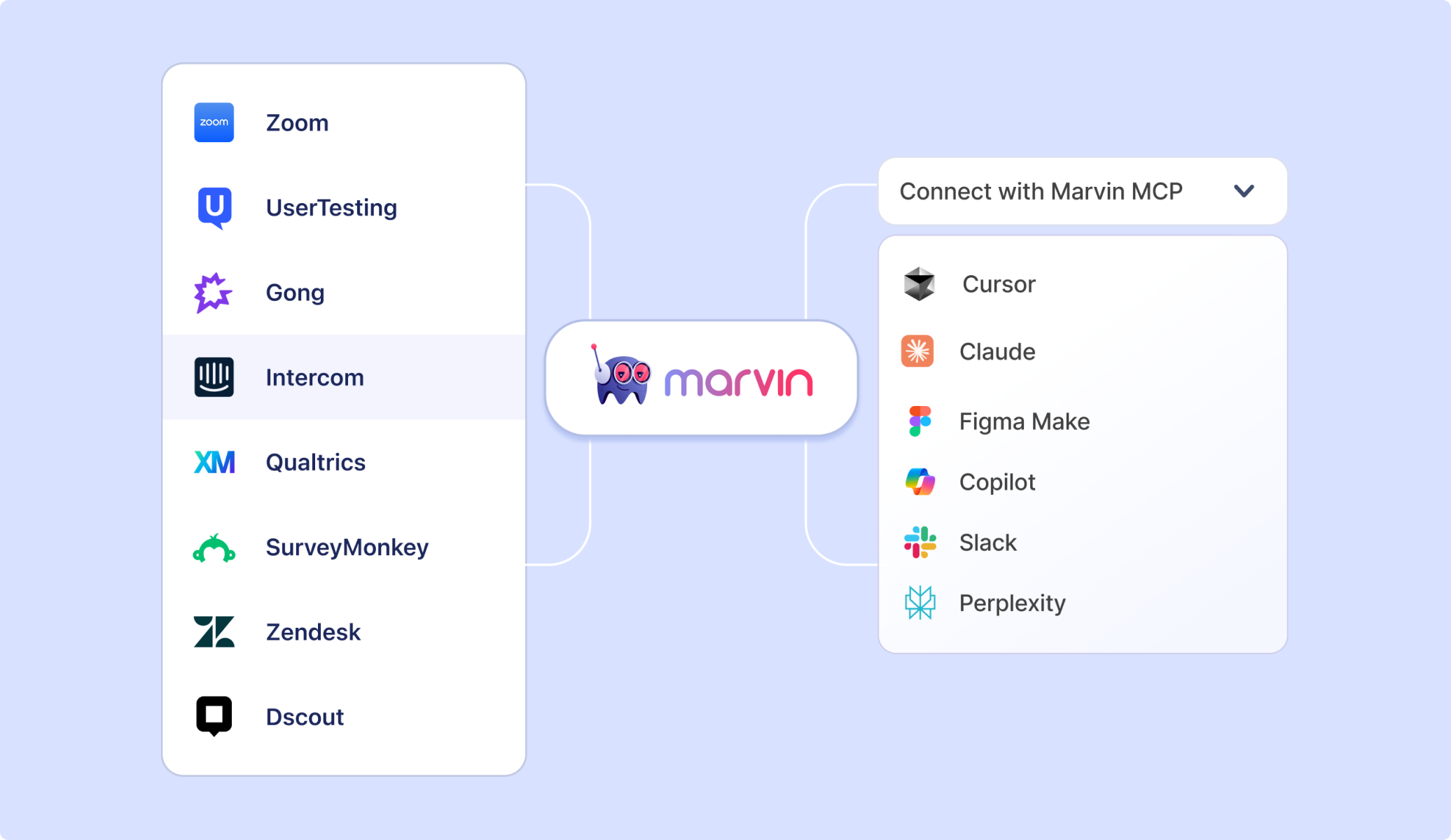
Marvin MCP was built for that. It creates a shared context layer across all your AI tools. Whether you're working in Claude, Copilot, Cursor, Figma Make, or anywhere else, the right information from your business's knowledge repository is always within reach.
"A lot of my research tooling requires training to get used to. MCPs break down that barrier because everybody's already in whichever AI they use,” said Alexis McNutt Unis, Research Lead at OnePay during a recent event.
With Marvin MCP, anyone on your team can now access customer research directly from the tools they already use every day.
What exactly is MCP?
MCP stands for Model Context Protocol. It is an open standard that lets AI tools and agents connect to external software systems and data sources. Anthropic introduced it in 2024, and every major AI provider has since adopted it.
Before MCP, connecting an AI tool to an external system required custom development for each integration. MCP standardizes that process, making it much faster to build and maintain connections between AI tools and the rest of your tech stack.
How MCP brings customer insights into every team's workflows
Marvin MCP connects your Marvin Knowledge Hub to whatever AI tool you're using. After that, anyone on your team can ask about customers, competitors, or past research from inside their AI tool and get an answer built from your company's own data.
The difference matters. Ask Claude about customer pain points without Marvin and it will give you a reasonable-sounding answer based on what it learned from the internet. Ask the same question with Marvin connected, and you get words your customers actually said, with citations you can click.
For researchers
Use Marvin MCP to turn your findings into ready-to-use deliverables, summaries, briefs, or stakeholder updates, grounded in the data you've already collected.
Try asking: "Based on the [project name] research in Marvin, write an executive summary of the top customer pain points for the [product area] team."
For product managers
Bring the voice of the customer into every room you're in. Whether you're writing a PRD, making a prioritization call, or pushing back on a feature request, get the evidence you need from your team's research without breaking your flow.
Try asking: "What does our research in Marvin say about how [persona] prioritizes [feature area]? Pull the most relevant findings and rank them by frequency."
For
For
Get access to customer research without breaking your workflow. If you're working in Figma Make, you can ask Marvin for cited user feedback on the concept you're iterating on right from inside your canvas, without switching tabs or waiting on a researcher to reply.
Try asking: "What have [persona] users said about [specific flow or interaction] in the Marvin [project name] usability studies? Give me direct quotes I can reference."
For product marketers
Write messaging in the words your customers actually use. Pull language from interviews, sales calls, and research your team has already done, so your copy is grounded in real customer language instead of assumptions.
Try asking: "How do [persona] customers describe [pain point] in their own words? Pull examples from Marvin [project name] sales calls and research interviews."
Pro tip: Specific prompts get specific answers. Include the project name, persona, or topic you're looking for. The more context you give, the more useful the response.
How to get started
Marvin MCP is available today on Pro and Enterprise plans. Setup takes about five minutes. Add Marvin as a custom connector in your preferred AI tool, paste your server URL, and authenticate with OAuth.
For the full setup guide, visit the MCP guide in our help center.
If you want to see it in action first, book a demo with our experts, and we'll walk through it with your team.
Frequently Asked Questions
Does connecting via MCP replace going into Marvin? No. Marvin MCP is meant to pull knowledge into the tools where you are already working and share final reports and analysis back to Marvin. For running studies, managing projects, and building your knowledge repository, you will still work directly in Marvin. Think of them as two parts of the same workflow, not two versions of the same thing.
Does it work with ChatGPT and tools other than Claude?
Yes. Any tool that supports OAuth authentication works with Marvin MCP, including ChatGPT, Figma Make, Microsoft Copilot, and Cursor. Claude is the most common connection, but the setup is similar across any compatible client.
What happens if Marvin can't find what I'm looking for?
Marvin will tell you. It won't guess or fill gaps with general knowledge. If the research doesn't exist in your knowledge repository yet, that is useful information in itself. It tells you exactly where the gaps are, and what questions are worth answering next.
The good news: every Marvin subscription also comes with access to modern data collection tools. You can run an AI-moderated interview to gather structured feedback at scale, use Live Intercept to capture in-the-moment feedback from real users, or connect Marvin's AI Notetaker to your next customer call. Everything you collect feeds back into your repository, so the next time someone asks, the answer is there.
Can the AI edit or delete anything in my knowledge repository?
No AI tool can edit or delete data in Marvin unless you explicitly prompt it to update information. Before tools can make changes in Marvin, you must grant it write access. You may also choose to restrict AI tools to search and surface knowledge from Marvin. Need to check if Marvin MCP and other AI tools comply with your company's data security guidelines? Ask the right questions with our MCP security checklist.
The future of modern customer research is here
Your customers have already told you what they think, what they need, and what they're going to do next. It's all sitting in your Marvin knowledge repository.
Now it's in every tool you use, too.

See Marvin AI in action
Want to spend less time on logistics and more on strategy? Book a free, personalized demo now!