.svg)




Last week, we wrapped our Spring Showcase, our quarterly webinar where we explore product updates, demo new features, and give a sneak peek into what's coming next. Read on for the highlights.
A brand-new Ask AI experience
Over the next few months, we’ll be rolling out several UX improvements to Marvin. To kick off the process, we gave Ask AI a major glow-up. Whether you’re researching at the project level, or trying to spot patterns across your knowledge repository, it’s faster and easier to find answers.
With the new modal, you can apply filters and switch between the AI modes based on the scope of your question from anywhere in Marvin. Drill down to the right insights with follow-up questions in one continuous chat. Or access past answers in a single click.
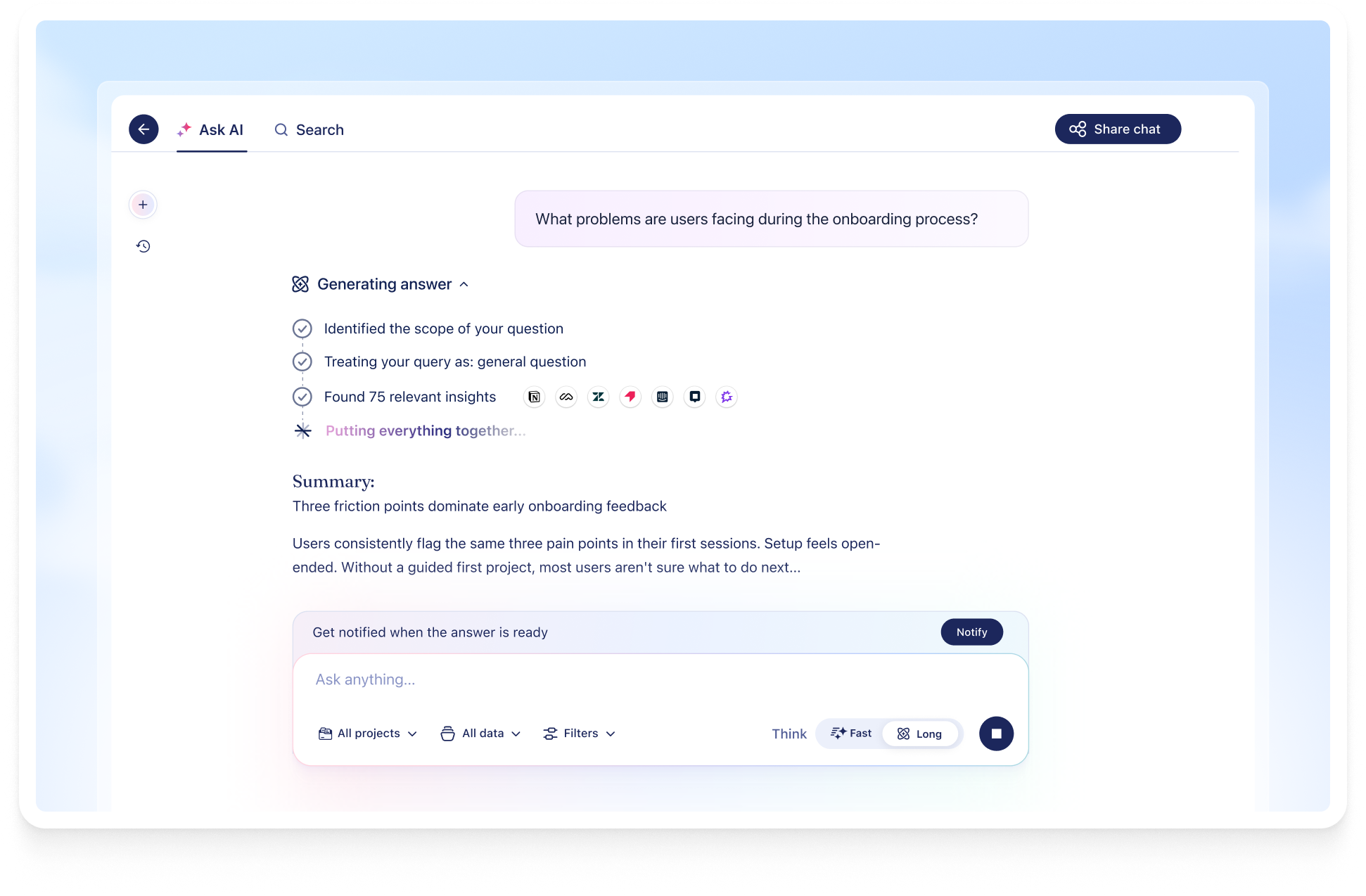
Quick mode delivers fast, cited answers from the most relevant and recent data. When you need in-depth answers, switch to Agentic Ask AI (Long mode), which delivers extended analysis across all historical and real-time customer knowledge.
What this update means for you: Ask detailed questions from anywhere in Marvin, refer to past chats in a single click, and get answers based on the scope of your question.
An upgraded Ask AI in Slack
We also redesigned Ask AI to help you quickly surface insights in Slack. Anyone in your team with a Marvin account can ask a question and get answers based on your organization’s data directly in a Slack channel or DM. Type /heymarvin or /research anywhere in Slack to talk to your data in Marvin.
Every answer is now structured into an overview, key takeaways, supporting quotes, and linked citations. Your stakeholders can verify exactly where an insight came from and explore it further on Marvin.
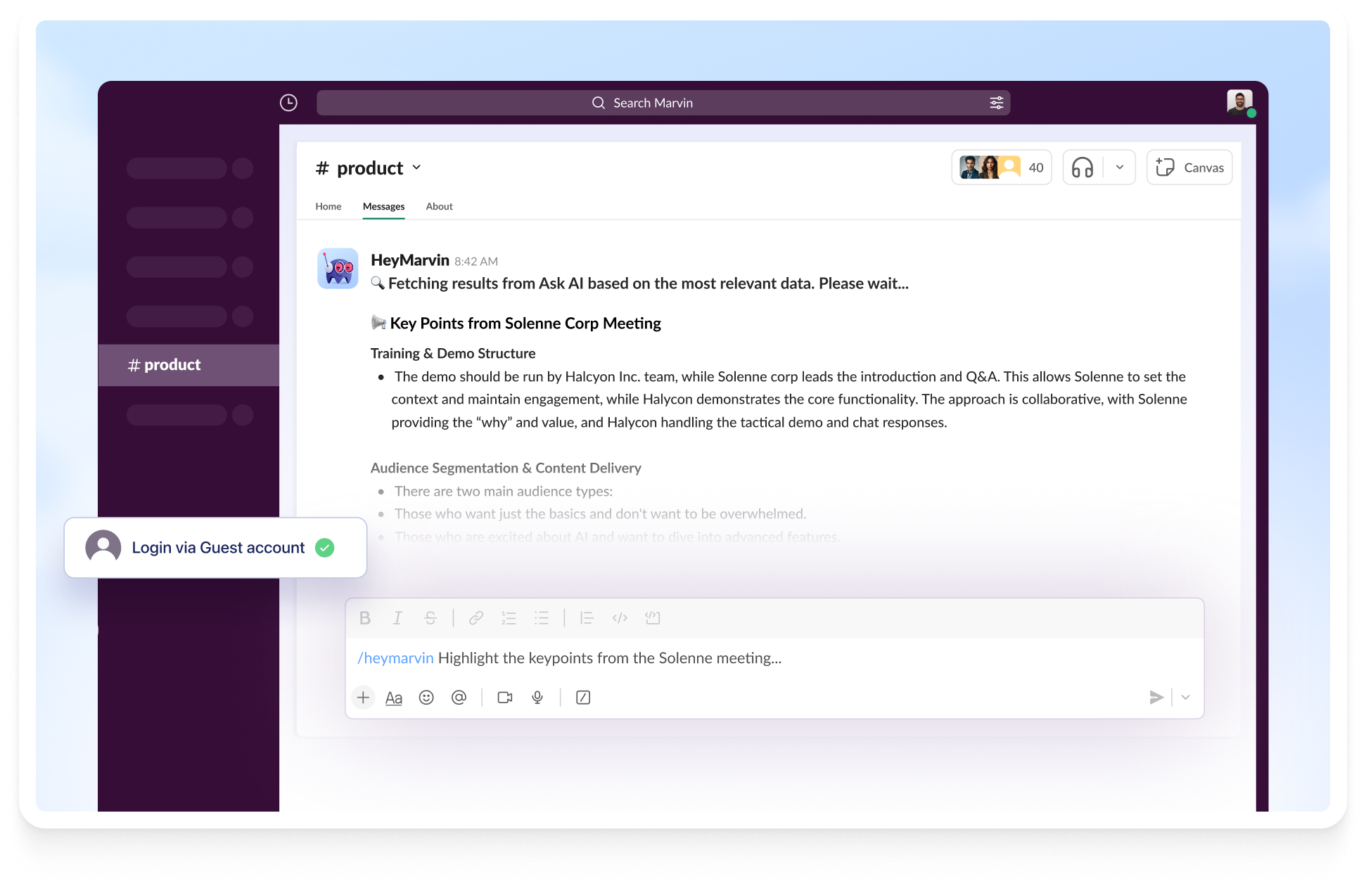
users can extend this access to any teammate, even those without Marvin accounts. Marvin verifies the email domain for every member and only shows results from public projects.
What this update means for you: Insights reach your team right where they work. No tab-switching required.
Are you a Microsoft Teams user? We've got you covered. Ask AI is coming soon to Microsoft Teams.
More control over AI Moderated Interviews
We made it easier to run multiple and simultaneous one-on-one interviews across timezones and in over 40 languages with Marvin’s AI Interviewer.
We heard your requests and built controls to cap responses and set a closing date. Your study wraps when either limit is reached, so you can avoid manual check-ins and control incentives and research budgets easily.
Running prototype or usability tests? Link a Figma or Lovable prototype, or any custom URL to your interview. Participants explore your prototype while the AI asks questions in real time. Everything gets stored, transcribed, and analyzed in Marvin.
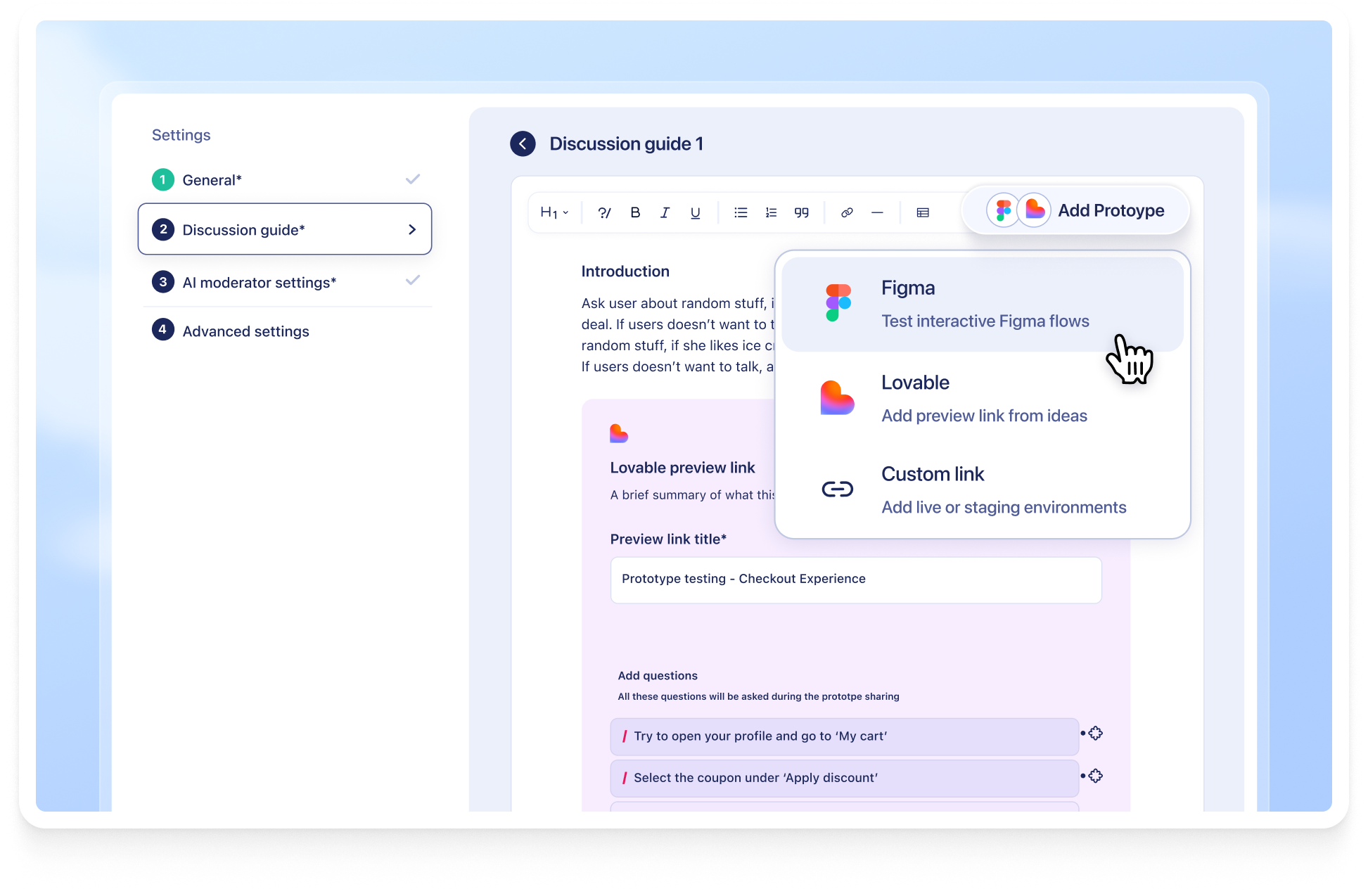
You can also control how deeply the moderator probes for each question, or how it branches to different questions depending on interviewees responses.
Participants have more ways to communicate too. They can share their screen to explain feedback easily and push-to-talk when they’re ready to answer. Since Marvin's AI Interviewer is voice-based, this is a great option for open-ended or discovery questions.
What this update means for you: Expand the scope of AI interviews. Test prototypes, manage incentives effectively, and get in-depth responses from participants.
Trace each insight to its source with citations in Deep Research
Now, every insight in a Deep Research report is backed by a linked citation. Click through to the source to verify each finding before you act on it.
Whether you're analyzing a handful of interviews or dozens of files, you can trace each insight to the exact moment it surfaced.
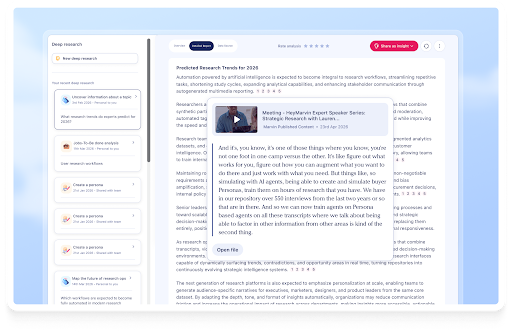
What this update means for you: Present Deep Research insights with confidence and spend more time on implementation than verification.
Topic subscriptions: your personal insights digest
Finding trends across projects and data sources can be overwhelming. When you need to keep track of each insight across files and are racing to analyze new data, it's easy to miss things. Topic subscriptions on Marvin turn that manual hunt into a continuous stream of insight.
Define a topic with relevant keywords and why you want to track it, and Marvin automatically collates insights across the platform into weekly reports. Read them in Marvin, get them in your Slack DM, or share them to any Slack channel.
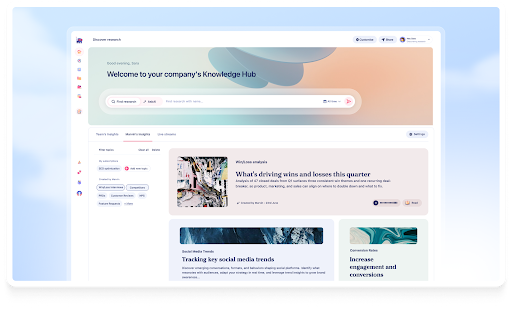
Set up your own custom reports under My Topics. Or let Marvin auto-generate reports on recurring themes your whole team can see.
What this update means for you: Stop waiting for insights to surface. Subscribe to a topic and track the trend.
Note: Topic subscriptions are available on Enterprise plans.
Trim videos right inside Marvin
You can edit video start and end times directly from the Annotation tool. Cut intros, remove sensitive moments, and clean up recordings, without leaving Marvin.
Drag the slider to set your start and end points, or type in exact timestamps instead. Before you confirm, Marvin shows you exactly what will be removed. Take a moment to review, because edits are permanent.
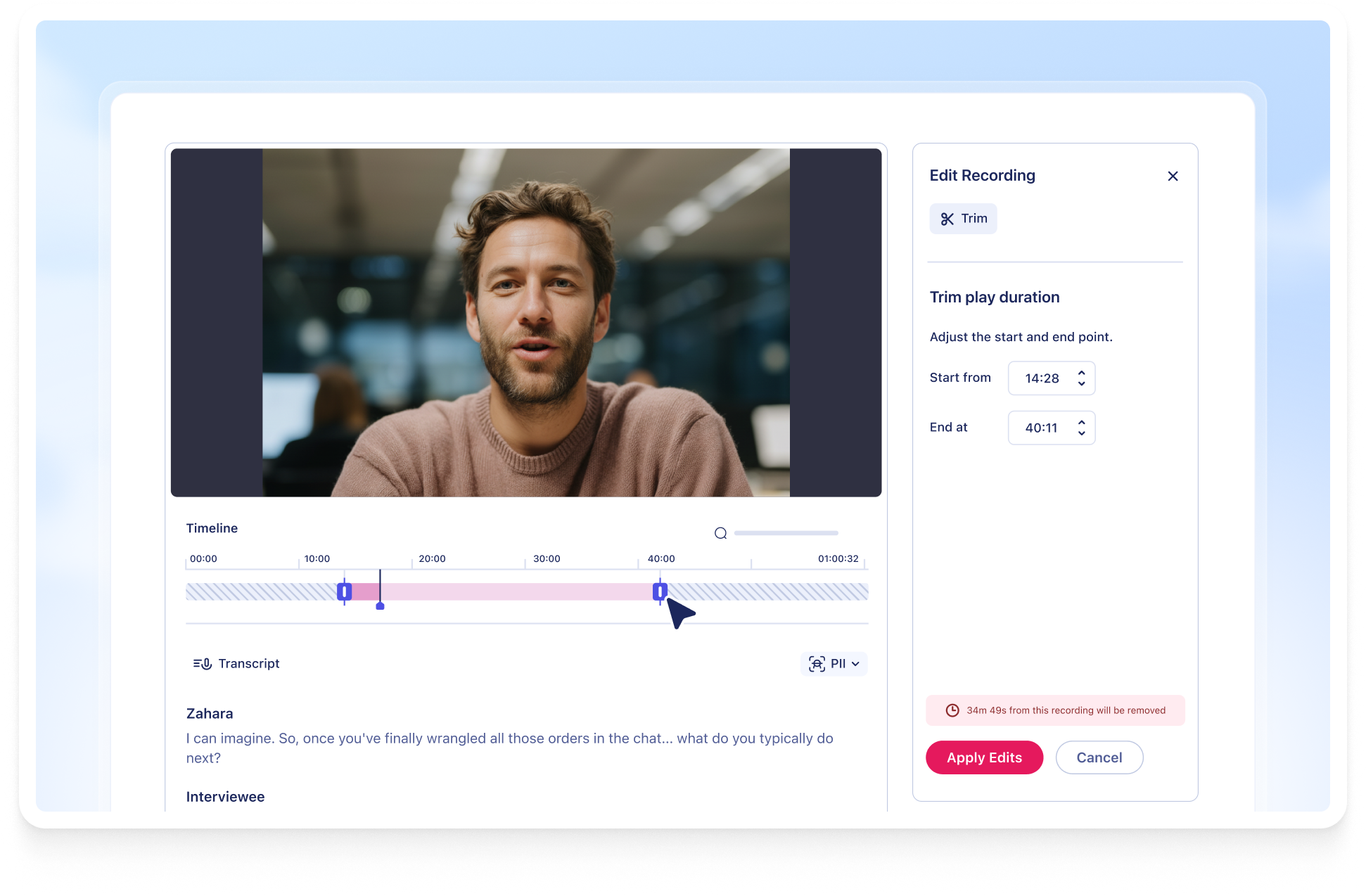
Once you trim, Marvin updates everything connected to that video automatically. Transcripts, notes, summaries, and topics. Middle edits are on the roadmap. For now, trimming is limited to the start and end.
What this update means for you: Your clips are polished and ready to share in minutes.
Improved PII redaction to stay complaint and keep data secure
With improved redaction controls, protecting sensitive data in recordings is now easier than ever.
Marvin's PII Redaction detects and blurs names and faces wherever they appear on screen. It stays locked in even with movement, angle changes, or partial visibility.
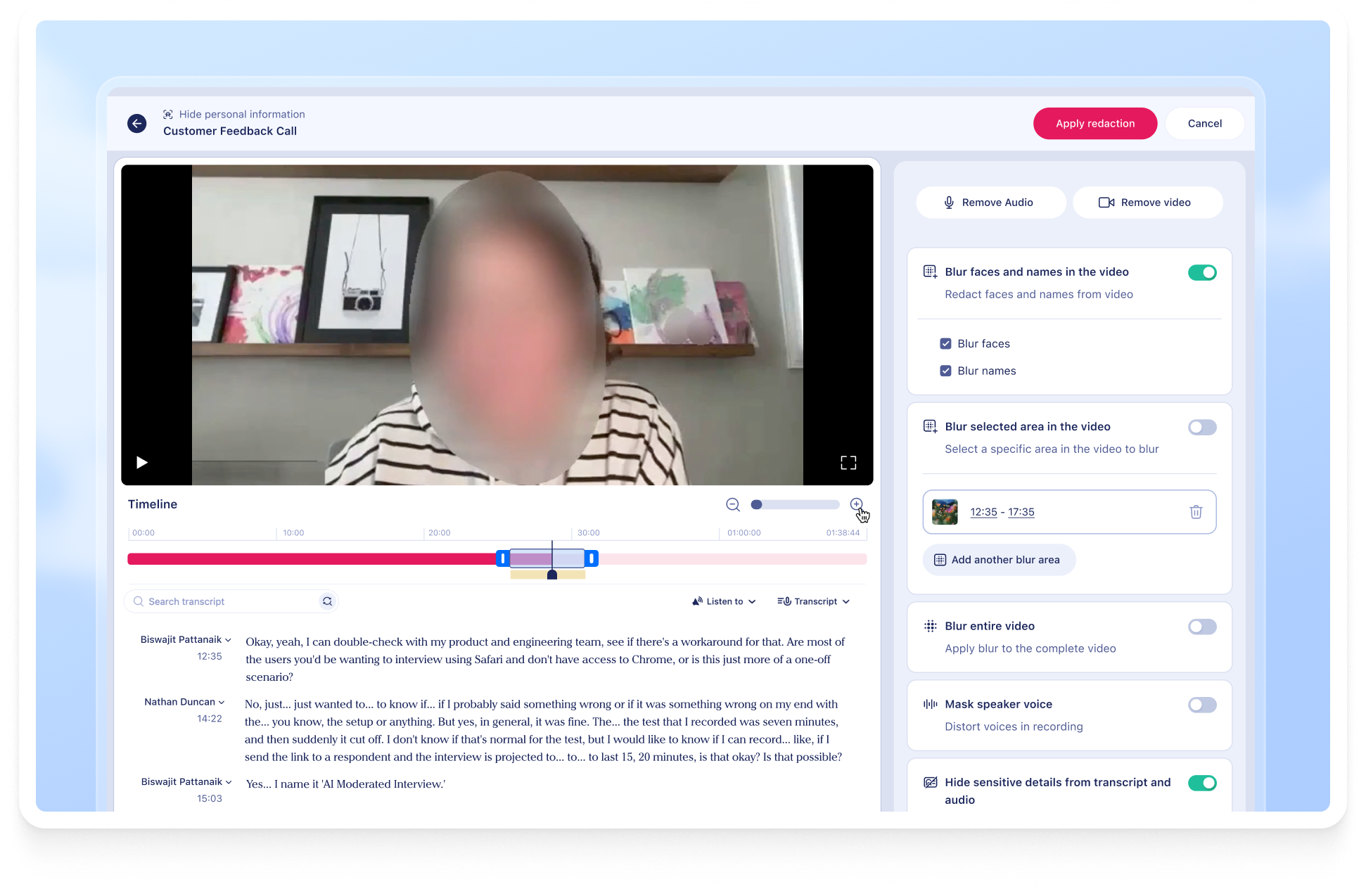
Need more precision? Select a specific time range and apply redaction. Or draw a box around any sensitive area in the frame — a credit card, a document, or a name — and redact just that portion.
To help your team access redacted interviews sooner, file owners can keep working on files while redaction runs in the background.
What this update means for you: Compliance doesn't have to slow you down anymore.
Bring Marvin anywhere with MCP
Working in Claude, Copilot, or Gemini? Designing in Figma? Marvin's MCP integration lets you pull customer insights directly into whatever tool you're already in.
It's quick to set up. Once it's running, ask questions like "Do we have any research on accessibility?" and get answers from your Marvin repository, without switching tabs.
Your research doesn't have to live in a silo. With MCP, it goes where your team goes.
Over the next few months, you’ll be able to build custom integrations with import API to access Marvin in your team's tech stack.
A redesigned Marvin is coming soon
Big news: we're redesigning the Marvin experience to help you navigate easily and find insights faster.
The preview goes live May 21, 2026, giving you a full month to explore. The new experience becomes the default on June 25, 2026. A toggle lets you switch between old and new until then.
Here's what's changing: you'll land on a personalized homepage every time you log in. Pin your most-visited projects and insights. See your topic subscriptions front and center. Ask AI sits right at the top, ready to search your full repository the moment you arrive.

Navigation is simpler and lighter. Less-used features live neatly in a More Research Tools section or in Settings.
What this update means for you: Less time onboarding new teammates. Faster access to research.
Introducing the Collaborator seat
Meet the new Collaborator. This role gives teammates the insights they need, without the tools they don't.
Collaborators get a personalized homepage with pinned projects, recent files, and topic subscriptions. They can search the full repository, use Ask AI, and follow team insights. They can also invite Marvin to join their calls for automatic notes and transcripts.
Inside a project, Collaborators see a streamlined view: files, insights, and playlists. Simple, focused, and nothing extra.
What this update means for you: The right information reaches the right people, without overwhelming them.
That's our Spring roundup! All our updates are designed to help you act on customer knowledge. Surface insights in the tools your team already lives in, by the people who need it, at the moment it matters. Stay tuned for our summer updates.
Missed the live event or need a recap? Watch the full recording.
Got questions or feedback? We'd love to hear it. And if you're new here and want to see Marvin in action, book a free, personalized demo today.
See Marvin AI in action
Want to spend less time on logistics and more on strategy? Book a free, personalized demo now!

.png)