.png)
.svg)


Customer Insights Analysis - Turn Data into Actionable Knowledge
Unlock customer behavior patterns and transform raw data into strategies that drive impactful decisions.



When conducting research, you can sit on mountains of customer data — yet never find anything of value.
That’s because data collection is easy, but trying to manually untangle it can overwhelm you. Luckily, there’s a sure way to do customer insights analysis that helps you:
- Go from plain data to actionable insights
- Tie insights to both user needs and company goals
In this post, we’ll show you how to run this insights analysis and introduce you to our tireless AI-powered research assistant.
Marvin offers you a centralized research repository and robust automated workflows. It’s ready to handle the tedious tasks you dislike (and never complains).
Create your free account today to organize, analyze, and share customer insights without effort.

What is customer insights analysis?
Customer insights analysis dissects how users interact with your products and what they think and feel about them. It’s a process that makes insights actionable and ties them to KPIs — retention, satisfaction, lifetime value, etc.
Done right, this analysis will:
- Remove guesswork on how to solve customer problems
- Offer you research-backed insights to design with purpose and impact
Examples of effective customer insights
The best customer insights dig deeper than surface-level data, showing you:
- Why users act the way they do
- What you can do to help them
Below are two examples of customer insight solutions that fix issues and guide impactful changes.
Example 1: Moving a hidden feature
Users seem to ignore a helpful feature in your app. One survey shows people don’t even know it exists (oops, it’s buried in a submenu).
This insight suggests you need to make the feature easier to find. Within two weeks of moving it to the main navigation, usage jumps by 45% (for instance).
Example 2: Streamlining onboarding
Your onboarding rate took a nose dive. Feedback reveals users drop off because the flow feels overwhelming. However, analytics show a high usage rate for those who finish onboarding.
These insights suggest you must streamline onboarding and show users immediate value early.
You include encouraging messages (“You’re halfway there!”) and micro-rewards after key onboarding steps (“You’ve just unlocked the personalized dashboard!”). Next, your onboarding rate jumps by 30%.

What are customer insights frameworks?
Customer insights frameworks are structured ways to organize and analyze research. They simplify the messiness of user data and break it into clear, actionable parts.
Let's check two specific examples.
1. Jobs to be done (JTBD)
With this framework, you look at what users tell you and what they try to accomplish.
Do they keep complaining about your app’s search feature? JTBD asks, “What’s their goal?” Then, it uses their words to fill in the blanks:
When I [problem/action], help me with [solution/feature] so I can [benefit].
Maybe your research shows users need to find content faster to stay productive. The JTBD here would be:
“When I search for specific information in the app, help me with a fast and accurate search function so I can complete my task quickly without frustration.”
2. Empathy mapping
This customer insights framework categorizes what respondents say, think, feel, and do. It helps you understand CX from multiple angles and get a clearer picture.
You apply empathy mapping to your research and discover that users:
- Say your app is “slow.”
- Think it takes too long to use.
- Feel stressed because task flows are inefficient.
- Do things like abandoning tasks halfway.
By connecting these insights, you realize the core issue is task completion time. Now, you can focus on streamlining task flows to reduce frustration and improve overall user satisfaction.
Types of consumer insights beneficial for businesses
Did you know “insight” means “seeing inward”? It combines in- (inward) and sight (seeing).
When it comes to customer insights, where you’re looking inward makes all the difference. You might focus on:
- What users do (behavioral insights): Track actions such as clicks, page views, or app usage time. Use customer behavior insights to understand how they navigate, which features they love, and where they drop off.
- If users stop at step three of your signup flow, there’s friction to fix.
- How users feel (emotional insights): Review raw feedback or sentiment analysis. Determine if the UX meets emotional needs such as trust or delight.
- If users call your interface “clunky,” it’s a cue to address the frustration.
- What users want (preference insights): Seek this type of insight in surveys, interviews, or direct feedback. Uncover desires and inform your product development by prioritizing the most demanded features.
- If users keep requesting a dark mode option, it’s a clear priority for feature design.

How to develop a customer insights strategy
A good strategy gives you clarity and purpose. Here’s how to build a clear plan to uncover insights that solve real problems and drive better decisions.
1. Define your objectives
First, ask yourself, “What do I need to learn?” Tie your answers to specific goals, such as improving feature adoption or reducing churn.
If you want to learn why users drop off in onboarding, your objectives would be to:
- Understand what frustrates them
- Create a smoother experience that boosts onboarding rates
2. Identify your stakeholders
Different insights are useful to different roles.
Your marketing team might want to understand user preferences, while devs may ask where users hit bugs.
Talk to all the relevant stakeholders — designers, developers, marketers, salespeople, product managers, etc. — to grasp their needs.
3. Choose your focus areas
You can’t learn or fix everything at once. To keep it simple, you should:
- Narrow your focus to areas where insights have the most impact.
- Prioritize by urgency, value, or alignment with your business goals.
Does research show users tap their fingers at slow loading times? Focus your strategy on performance optimization. Improving speed also reduces user drop-off and boosts overall satisfaction.
4. Select your methods
Decide if you’ll gather qualitative data, quantitative, or both, depending on your goals. (Our guide on user research methods should help you out.)
For reference, imagine you want to identify patterns in user behavior. At first, analytics can reveal trends such as high drop-off rates on mobile.
But while these numbers hint at device-specific issues, they can’t explain why users struggle. Qualitative interviews or surveys with product feedback questions will add rich context to your analytics.
5. Create a feedback loop
Want to keep your strategy relevant and avoid working on stale feedback? Create a feedback loop that constantly tracks what customers and stakeholders need:
- Schedule surveys, interviews, or in-app feedback mechanisms to check if your solutions address user needs.
- Organize regular check-ins (monthly reviews or sprint retrospectives) to discuss how your findings influence priorities.
Pro tip:
Add a Research Ops (ReOps) role or team to sharpen your customer insights strategy.
The quality of customer insights depends on participant selection. Still, recruitment is one of the most time-consuming and error-prone stages of research. With ReOps, you streamline this process and:
- Enhance insight gathering
- Improve insights quality
- Ensure compliance
Want to see how Research Ops fits into a modern team? Watch this conversation between our CEO and Oren Friedman, co-founder of Rally, a user research CRM system.
Steps to collect and manage customer insights data
Follow the steps below to wrangle data into shape and make your key customer insights actionable.
1. Gather data
Collect the raw data and keep it structured. You’ll thank yourself later when structure makes analysis so much easier.
For instance, when conducting interviews or surveys, use a consistent set of UX research questions. When analyzing analytics, focus on specific metrics (click rates, session times, etc.).
2. Centralize your research
Create a digital library of everything you’ve learned about your users. It’ll help you:
- Avoid silos
- Analyze data easier
- Show everyone the same information
Marvin’s research repository gives you AI-powered tagging and search features. Import the data and search through it just like you’re typing in Google. You’ll quickly find and analyze exactly what you need.
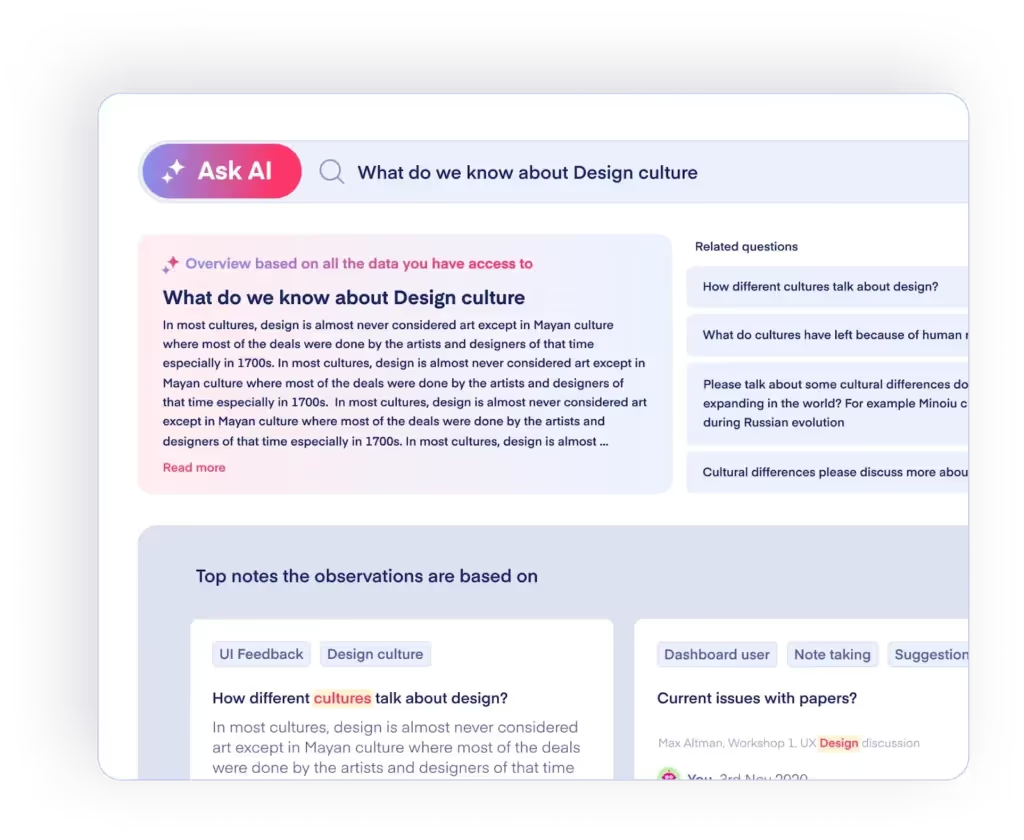
Book a demo today to see how Marvin brings all your user research in one place — centralized, searchable, shareable.
3. Clean and organize the data
Clean data is easier to analyze and makes patterns clearer. Remove duplicates, fix errors, and categorize your data into themes or tags.
For example, you collect feedback from multiple users. Group similar comments under relevant categories (“navigation issues,” “feature requests,” etc.)
4. Prioritize what matters
Not all data is equally useful. Focus on what answers your most important questions or aligns with your goals.
If you’re working on onboarding, prioritize insights about the first few steps rather than unrelated features.
5. Visualize and share insights
Turn your data into visuals to make patterns easier to understand. Then, take those beautiful charts to your team for feedback or input.
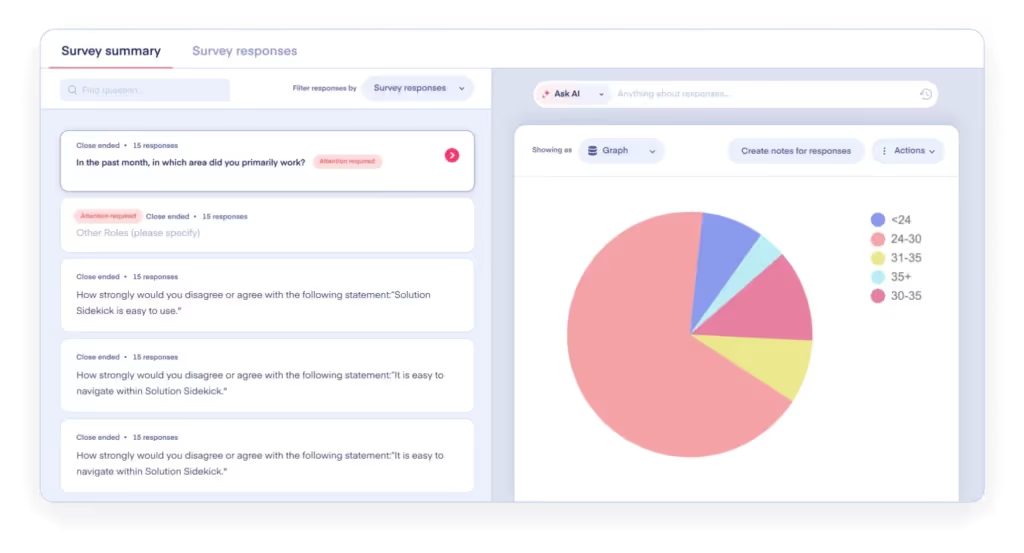
Marvin is one option for organizing your insights, thanks to our built-in Canvas and Kanban boards. It also generates charts, graphs, and dashboards directly from data, for you to see it intuitively. (Moreover, we offer integrations with Miro and Figma, if you’d prefer that path.)
Essential customer insights tools
Research is complex, and there are a gazillion different tools out there. For customer insights management, we recommend you look at the following:
- Marvin for qualitative analysis: Our platform is your all-in-one research assistant and repository. It integrates with Miro, Notion, Zoom, and other tools, handling feedback in various formats (from transcripts to Excel sheets). AI workflows tag, organize, and analyze your data in hours, not days.
- Rally for research management: This research CRM simplifies the logistics. It automates participant outreach and scheduling. Plus, it handles incentives and consent and provides compliance safeguards.
- Hotjar for behavioral insights: Hotjar is a visualization tool that tracks user behavior, complementing interviews or surveys. Through heatmaps and record sessions, it shows how people interact with your product or website.
- Google Forms for quick surveys: When you need a simple way to gather input, Google Forms works wonders. It’s not fancy, but it’s fast and free — perfect for quick checks on user preferences or satisfaction.
- Figma for design feedback: While not a research tool in the traditional sense, Figma is essential for gathering real-time design feedback. Use it to test prototypes with users and collaborate with your team on iterative improvements.
The right tools work together to support your insights process. If you only have to pick one, let Marvin be your ultimate research hub. Everything else will fit around it.
Create a free account today to stay organized, uncover patterns, and share insights easily.
Ways to use marketing and customer insights together
Marketing + Customer Insights = Precision (aka campaigns that fit like a glove that fits).
With this approach, you design experiences that are personal, emotional, and adaptable — powered by insights.
Let’s go deeper into how you can align marketing with customer insights.
Refine messaging through emotional insights
Try this two-step strategy:
- Use customer insights to extract emotional drivers
- Leverage those emotions in your marketing messaging
For example, do you notice users “feel confident” in managing tasks with your app?
While confidence isn’t an app feature, it’s an outcome users care about. Build marketing around this emotional payoff to connect on a deeper level.
Create hyper-specific segments
Insights take you beyond broad personas.
Segment your audience based on behavior, barriers they face, and preference for certain features or pizza toppings. Okay, maybe not pizza toppings, but app “toppings.” The more specific, the better.
Does your product serve both new and seasoned professionals? Run separate marketing campaigns — one for those who value ease of use and one for those who prefer anchovy toppings advanced features.
Close the gap between acquisition and retention
Most marketing focuses on getting users in the door, but insights help you settle and engage them.
Use data to pinpoint when and why users disengage. Then, design campaigns to re-engage users before they churn.
If insights show people drop off after their first project, your marketing can send nudges at just the right time — tips on recommended next steps or stories of long-term users' success.

What AI makes possible in customer insights analysis
AI shifts insights analysis from manual synthesis to automation. It changes what you spend time on and enables you to uncover deeper insights with fewer resources.
That means you can:
- Move from reading everything to seeing patterns instantly: AI takes over the tedious task of analyzing data line by line. It scans large datasets and surfaces themes and patterns for you to review and validate.
- Connect insights across sources, not just within one study: Instead of keeping your studies separated, AI can reunite them in one searchable repository. It links patterns across interviews, surveys, support tickets, and product data.
- Keep insights tied to evidence without extra effort: The more research you review, the harder it is to prove where each insight came from. AI automatically links every theme to quotes, clips, or behaviors.
- Spot weak signals before they become big problems: Manual analysis will easily reveal what’s obvious and repeated. With AI, however, you can detect smaller (but still important) patterns early.
- Reduce bias in how you interpret data: The human brain filters data through what it expects to find. AI can examine the full dataset without “expectations”. While it doesn’t completely remove bias, it helps balance it.
- Update insights continuously rather than in batches: Users share their feedback continually, in different forms, through different channels. With AI, you can keep analyzing this new data as it comes in.
- Spend less time organizing and more time deciding: AI handles the most time-consuming parts of analysis, reducing hours of work to minutes. You can use that time to validate insights, interpret them, and decide what to do next.
Common customer insights analysis mistakes and how to fix them
“Collect feedback, find patterns, and act on them” sounds simple. In practice, however, it rarely is.
Below are four common mistakes and how to fix them before they affect your customer insights analysis.
1. Treat all data as insight
It’s easy to confuse raw feedback with actual insight. An insight is data that explains why something happens and what you should do about it.
Therefore, a quote or a chart is not an insight. Sometimes, not even a pattern can be considered insight.
For example, a phrase such as “Users say the onboarding is confusing” is just data. A real insight would be, “Users feel lost because they don’t know what happens next, so they hesitate to continue.”
The solution is to always push one step further, asking the right questions. You want to know why something is happening, what it means for the experience, and what you should change about it.
2. Analyze each study in isolation
Whether you run interviews, send out surveys, or check analytics, you typically look at all these in isolation. Because of that, you’re more likely to see local patterns instead of the full picture. And you might miss how the same issue shows up across different moments in the experience.
To avoid this, treat your insights as a system. Combine them into a single repository before drawing a conclusion. Look for connected meaning and prioritize insights that appear across multiple touchpoints.
3. Focus only on what’s loud
The most repeated feedback gets attention first. However, focusing on the obvious can detract you from what’s less obvious but just as important. For example, if only a few users say they struggle with filters, and they’re your most engaged user segment, you shouldn’t ignore it.
Tracking just frequency is a common mistake. Steer away from it by looking at where an issue occurs (key flows?), who it affects (high-value users?), and how it impacts the experience.
4. Stop at the insight without acting on it
If you do the work, find the patterns, and stop at writing a nice summary, it was all for nothing. Insights that don’t lead to action are just well-organized observations.
To fix this mistake, tie every insight to a specific next step. What should you change, who’s in charge of it, and how will you measure success? The filter is simple: if an insight doesn’t lead to action, you’re not done with it yet.
Learn more about this essential step in our guide on how to turn data into actionable insights.
Leading customer insights companies to know
Outsourcing research can help you go deeper faster. Whether you lack the resources or just want to validate your findings, check out these leading customer insights companies:
- NielsenIQ: Specializes in consumer behavior analysis, offering insights into purchasing trends and market dynamics.
- Ipsos: Provides market research services, including online communities that mirror your target audience.
- GfK: Offers data analytics and consumer insights, focusing on technology and consumer goods sectors.

Frequently Asked Questions (FAQs)
Time to tie a bow on customer insights analysis with these quick FAQs.
What Are Customer Insight Techniques?
Customer insight techniques are specific ways you can analyze research to uncover patterns and actionable insights. Examples include:
- Thematic analysis to group feedback
- Affinity mapping to find connections
- Sentiment analysis to gauge emotions
What is Customer Insights Management?
Management involves organizing, storing, and sharing insights so your team can act on them. It ensures everyone works from the same data to make informed decisions.
What is the Best Way of Gathering Insights?
It depends on your goals. Aim for qualitative data first, but consider the benefits of triangulation in qualitative research. Balancing numbers with personal stories gives you a clearer picture and more actionable insights..
What is the difference between customer insights and market research?
Market research is the first step in understanding your audience. It focuses on collecting data about your market, competitors, and audience.
Customer insights take that understanding a step further. They explain why users behave the way they do and what actions you should take.
What security standards matter for customer insights tools?
Look for standards that protect sensitive user data and ensure regulatory compliance. Common ones include GDPR for data privacy, SOC 2 for security practices, and ISO 27001 for information security management. These standards help ensure the tool you use will safely store, process, and access your data.
How often should customer insights be analyzed?
You should analyze customer insights continuously, not just at the end of a study. Regular analysis helps you catch new patterns early and keep decisions aligned with current user behavior. At a minimum, review insights after each research cycle and during key product or sprint milestones.
Conclusion
With customer insights analysis, you don’t just want to nail the process. You want to adopt a new mindset.
When you constantly aim to understand user behavior, emotions, and preferences, you get to:
- Solve today’s problems faster
- Anticipate tomorrow’s opportunities
The strategies, frameworks, and tools in this post are your launchpad. And our AI research assistant can be the copilot that helps you scale this mindset.
Create your free account today to see what Marvin is all about. You’ll streamline your customer insights analysis and cut your time to insights by days.
Who’s Marvin, again? In the words of Chirag Narula, our co-founder, “Marvin has big eyes (that see everything), is mostly a head (where it keeps all its knowledge), a big antenna (to easily access that knowledge) and a huge loving heart (you can’t see it; you will have to take my word for it.).”

See Marvin AI in action
Want to spend less time on logistics and more on strategy? Book a free, personalized demo now!