.png)
.svg)


Product Feedback: How to Collect, Analyze, and Act on It
Collect and use product feedback effectively with the right methods, tools, and actionable tips.



Users say what frustrates them and what they wish a product could do. Yet many teams still struggle to turn product feedback into better decisions. Why? Because they lack a clear system and the right feedback management tools. With data coming in from so many channels, it’s easy to miss patterns or prioritize the wrong problems.
Our guide help you build this product feedback management system. Let’s walk you through it all:
- How to collect helpful product feedback
- What to ask and when to ask it
- How to act on what you learn

What is product feedback and why does it matter?
Product feedback is anything users say about your product. It can come from surveys, support chats, interviews, or reviews. And even from less expected places, such as bug reports.
Why do you need to ask for feedback for product development? Because you're not your user. What makes sense to you might not be clear to them.
Product user feedback helps you understand how people experience your product in real situations. The more you vary your sources of feedback for product decisions, the easier it becomes to spot patterns.
Feedback reveals where users struggle and what they prioritize. It’s the best way to assess how your choices affect their experience. Thanks to product feedback, you can:
- Make smarter design decisions
- Fix what matters most
- Deliver products people want to use
Here’s a simple product feedback example. A B2B SaaS team notices dozens of support tickets asking about a reporting feature that already exists. Instead of building something new, the team makes the feature easier to discover and reduces support requests.

Different types of product feedback
When building a product, you need the right kind of input at the right time. It all depends on what you’re trying to learn and where you are in the design cycle.
Here’s a practical classification of the different types of feedback:
<figure class="wp-block-table"><table class="has-fixed-layout"><tbody><tr><td class="has-text-align-center" data-align="center"><strong>Feedback Type</strong></td><td class="has-text-align-center" data-align="center"><strong>Ideal Use Case</strong></td><td class="has-text-align-center" data-align="center"><strong>Benefit</strong></td><td class="has-text-align-center" data-align="center"><strong>Potential Collection Methods</strong></td></tr><tr><td class="has-text-align-center" data-align="center"><strong>Exploratory Feedback</strong></td><td class="has-text-align-center" data-align="center">Pitch ideas or shape your roadmap</td><td class="has-text-align-center" data-align="center">Determine what problems are worth solving</td><td class="has-text-align-center" data-align="center">Interviews<br/><br/>Surveys<br/><br/>Diary studies on how people work around a problem</td></tr><tr><td class="has-text-align-center" data-align="center"><strong>Evaluative Feedback</strong></td><td class="has-text-align-center" data-align="center">Check if your solution makes sense and is clear</td><td class="has-text-align-center" data-align="center">Validate a solution before launch</td><td class="has-text-align-center" data-align="center">Test a clickable prototype<br/><br/>Ask users to walk you through a task<br/><br/>Compare two design options</td></tr><tr><td class="has-text-align-center" data-align="center"><strong>Continuous feedback</strong></td><td class="has-text-align-center" data-align="center">Create a product feedback loop that you set up once and provides data over time</td><td class="has-text-align-center" data-align="center">Spot long-term trends and track how people feel as your product evolves</td><td class="has-text-align-center" data-align="center">Add in-app widgets<br/><br/>Design always-on NPS surveys<br/><br/>Tag support tickets</td></tr><tr><td class="has-text-align-center" data-align="center"><strong>Reactive feedback</strong></td><td class="has-text-align-center" data-align="center">Capture what users say at random moments on social media and other platforms</td><td class="has-text-align-center" data-align="center">Identify moments of high friction or delight</td><td class="has-text-align-center" data-align="center">Link feedback buttons to specific actions<br/><br/>Set up alerts for app store keywords<br/><br/>Mine live chat logs for repeated pain points<br/><br/>Use social media listening tools</td></tr></tbody></table></figure>
The best methods for collecting product feedback
Once you know what type of feedback you need, you can select the most suitable method to collect it. The right method depends on the question you're trying to answer and the type of product feedback you want to collect.
1. User interviews
This is the go-to method for rich, in-depth product user feedback. You speak directly with users and ask open-ended questions about how they think, feel, and behave.
User interviews are great for exploring unclear problems or understanding reactions to early designs.
2. Surveys
Product feedback surveys are fast, scalable, and effective for spotting patterns. Use them when you need structured input across a broader sample. You might send one after a new feature rolls out to ask, “Was this useful?” or “What’s missing?”
The best product surveys are short, clear, and focus on a specific moment. Use in-product surveys while the experience is still fresh. And save email surveys for gathering feedback after longer-term product use.

3. Usability tests
This method involves watching someone as they try to complete a task with your product. You can do it live or have the user record their activity. As a moderator, you must observe, not lead.
Qualitative usability testing helps you see where users get stuck, what they misunderstand, or what they skip entirely.
With as few as five sessions, you can identify and address significant usability gaps. That’s why this method is excellent for testing before launching something new.
4. In-app feedback widgets
These are tiny customer feedback tools with a big payoff. They can be as simple as:
- “Was this helpful?” prompts
- Feedback forms tied to a button
- Pop-ups after a task
Their most significant benefit is collecting lightweight, ongoing feedback while the experience is fresh. You won’t get depth, but you’ll catch common issues and quick wins.
5. Support channels
In tickets, chat logs, and call notes, users explain real problems in their own words. The product design feedback that comes with it is invaluable.
You can use this data to tag themes, track complaints by feature, or spot gaps in documentation. They’re handy for finding bugs or feature confusion quickly without setting up a formal study.
6. User communities and Sscial media
When people talk about your product in forums, Discord groups, or Twitter threads, they’re giving you free insight.
Mining these spaces requires effort, but it yields great rewards. It helps you find hacks from early adopters or public frustration you didn’t know was brewing.
7. Beta testing programs
Before a wider release, you can invite real users to test your product. As you watch how they use the tool, ask for structured feedback. And follow up with interviews or surveys if necessary.
This approach provides early warning signs before bugs or confusion reach a broader audience. It works well when you’re testing bigger changes.
Pro tip: HeyMarvin’s AI-native customer feedback repository combines primary research and passive feedback channels (sales interactions, support tickets, etc.)
Create a free account and use it to centralize all your feedback. You’ll make sense of data without losing your mind (or your notes).

What product feedback questions should you ask?
Setting up an intentional product feedback loop gives you better control over product development.
To make this process smoother, consider the following product feedback questions:
After you’ve launched
The feature is live, users are in, and things are either working well or not. As you gather feedback at this stage, focus on what users were trying to do.
You want to uncover how it felt and what got in their way:
- What were you trying to do when you used [feature]?
- Did anything slow you down or confuse you?
- What worked better than expected?
- What didn’t work the way you thought it would?
- Is this helping you do your job faster or easier?
- If this feature disappeared tomorrow, how would that affect you?
These questions help you spot usability issues, unmet needs, or low-value features that aren’t worth the maintenance.
Before an update
Even if a new design or feature isn’t live yet, you can still get feedback on it. Gather a small group and test how users react to the change:
- What looks different compared to the current version?
- Does this feel like an improvement? Why or why not?
- What would you expect to happen next when using this?
- Is anything confusing or hard to find here?
- Would this change affect how often or how easily you use the product?
Ask these before launch to save yourself from a frustrating support spike. Or worse, a silent drop in engagement.
Always-on questions
These are great for widgets, prompts, or surveys. They work across multiple touchpoints and still give you actionable insights:
- Was this helpful? Why or why not?
- What’s one thing we could improve here?
- What almost stopped you from completing this task?
- How easy or hard was it to get this done?
- How satisfied are you with [feature/task]?
Always-on questions can spot friction fast, especially when users are still mid-task, and the experience is fresh.
The question you should always include
One last question that cuts across every moment and method:
- If you could change one thing about this experience, what would it be?
It’s simple but powerful. It invites honesty, reveals priorities, and surfaces stuff you might not think to ask about.

How to turn customer feedback into action
Feedback overwhelm is real. A clear product feedback process helps you organize what you've learned and prioritize what matters most.
Follow the steps below to turn feedback into actionable product decisions with less effort:
1. Group feedback by theme, not channel
Combine feedback from interviews, surveys, support tickets, and reviews into one system. Then, group it by what it’s about, not where it came from.
This way, you can see beyond the loud comments and spot the patterns that span across channels.
2. Prioritize by impact and frequency
Some issues annoy everyone. Others bother only one power user. To make this distinction, look at:
- How many people mention an issue?
- How badly does it affect their experience?
3. Map insights to the product workflow
Map feedback to the specific areas of the product where it occurs. This approach has two significant benefits:
- Connects user pain points to real-life moments in the journey (onboarding, billing, settings, etc.)
- Allows you to fix experiences, not just bugs.
4. Write problem statements
Instead of “Make the font bigger,” which is a fix request, turn feedback into a problem statement:
“Users over 40 struggle to read key data on the dashboard.”
The result? Your team will focus on solving the underlying cause of an issue instead of patching over its symptoms.
5. Close the loop with the user
Closing the loop builds trust. And those users are more likely to give you better, deeper feedback next time.
Someone provided you with thoughtful feedback, and you addressed the issue? Tell them. Did you decide not to fix it? Explain to them why.

Product feedback tools and software worth using
You need proper feedback collection tools to make sense of heaps of data without losing the essentials.
The following options are worth making it to your UX tech stack:
1. HeyMarvin

HeyMarvin connects all your product feedback in one place — interviews, surveys, support tickets, sales calls, and more. It’s built for product and research teams who want to stay close to their users without getting buried in data.
Across your product’s lifecycle, you can use HeyMarvin:
- Before you build: Tag and synthesize insights from discovery calls, sales feedback, interviews, and past research to shape what comes next.
- While you're building: Analyze concept tests, usability sessions, and beta feedback to guide design decisions.
- After the launch: Spot trends in open-ended survey responses and support logs to catch friction early.
- Across the organization: Turn raw feedback into shared insights your whole team can find and use instantly.
HeyMarvin’s Live Intercept allows you to collect feedback while users are still in the experience. Instead of waiting for someone to complete a survey later, you can trigger AI-powered interviews on your website or inside your product. This lets you capture in-product feedback at the moment users encounter friction, confusion, or delight.
In HeyMarvin, everything runs through a fast, AI-powered interface that helps you automatically identify what matters. Whether you're preparing a stakeholder deck or prioritizing your next sprint, it makes feedback clear, searchable, and shareable.
Create a free HeyMarvin account to see how it works in your own workflow.
2. Typeform
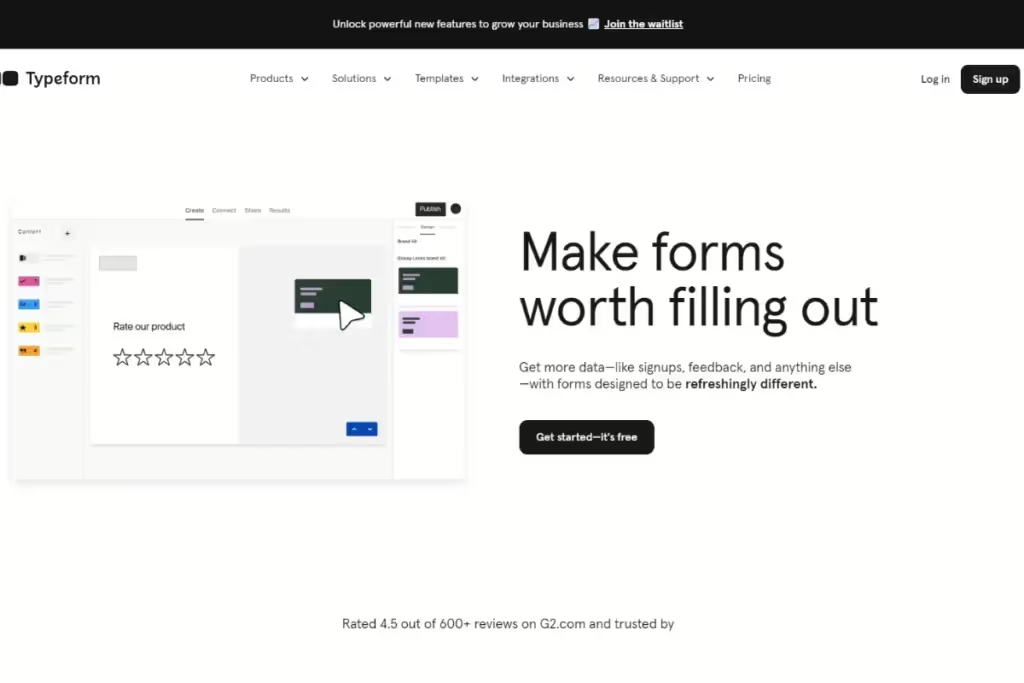
Typeform helps collect structured feedback through forms. It’s convenient for post-launch surveys, onboarding check-ins, or feature-specific prompts.
The interface is clean, mobile-friendly, and easy to embed in your product or emails. You can also connect responses directly to your analytics or CRM tools to close the loop faster.
While it won’t help you analyze the data, it sure enables you to ask better questions. And get more thoughtful answers.
3. Productboard
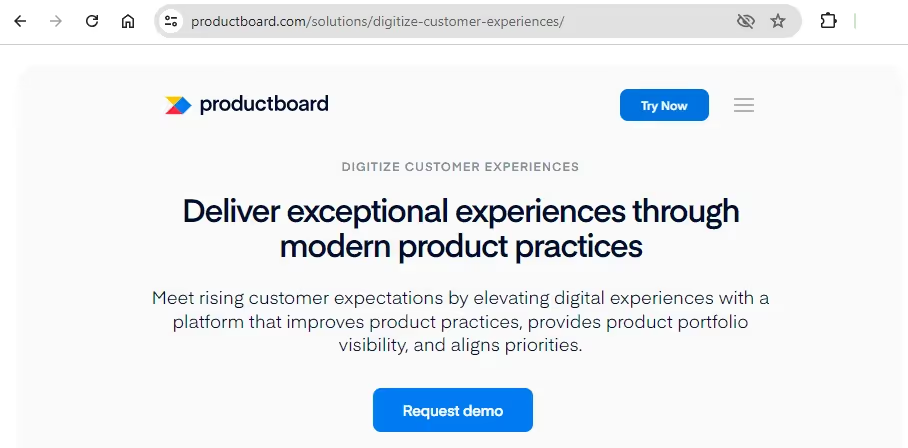
Productboard connects customer feedback with product planning.
It can collect feature requests, triage insights from support and sales, and turn them into prioritized roadmap items.
With this tool, you can tag feedback by customer segment, opportunity size, or product area. All these help you align the insights with business goals.
4. Hotjar

Hotjar offers a suite of features that support both behavioral analytics and in-product feedback collection. Heatmaps, session recordings, and on-page surveys provide you with valuable context on what users do and why they do it.
The tradeoff is that it focuses on website and in-app feedback rather than managing research across multiple channels. If you need to centralize interviews, support tickets, surveys, and sales calls in one repository, you'll need another tool alongside it.
Hotjar is best for teams that want to pair behavioral data with direct in-product feedback prompts.
What product feedback management mistakes should you avoid?
Want to keep your system lean, helpful, and trusted by all teams? Avoid these feedback management traps:
Siloed product feedback slows teams down
Support sees one thing. Sales sees another. Research hears something else. If none of it gets stitched together, your organization will be slower and more reactive than proactive. Users will feel it.
Rather, create a shared feedback hub to give anyone you want access to information. You don’t need a perfect product feedback process. Just one place where data can be seen and sorted by theme.
The limits of voting systems in product feedback prioritization
"Top-voted" doesn’t always mean “most important.” Internal upvote systems can create a false sense of urgency, especially when power users or vocal customers skew the data.
To avoid prioritizing popularity instead of impact, try to balance voting with qualitative depth. Look at why people want a feature, not just how many. Context always beats count.
Never cleaning the feedback closet
Teams often hoard years of outdated notes, tags, and requests. The longer this builds up, the harder it becomes to discern what truly matters. Eventually, everyone stops looking and starts from scratch, again.
The solution? Build in regular feedback cleanups and archive old themes or tags. Merge duplicates and create a healthy repository that your teammates actually use.

Frequently asked questions (FAQs)
Find quick answers to common questions about product feedback, what to ask, and how to use what you learn.
When should you ask for product feedback in the user journey?
Ask when the experience is fresh, after a key action, success, or point of friction. Good moments include finishing onboarding, completing a task, or encountering an error.
Should all product feedback go into the roadmap?
No, not all feedback is suitable for the roadmap. Some are noise, and some are niche.
Prioritize what aligns with your product vision and addresses real user problems.
How can you tell if product feedback is worth acting on?
Look for repeat mentions tied to a clear task or outcome. Frustration plus frequency leads to an action point.
Check who’s giving the feedback and when to distinguish between power users and first-timers.
What are some examples of useful product feedback?
Useful product feedback points to a specific problem and provides enough context for your team to investigate it further. For example:
- Several support tickets might reveal that users interact with your product in a way your team never considered.
- NPS comments could show that new users struggle while using your product, even if they like it overall.
- A usability test might reveal that users can't find a key feature because the navigation isn't as clear as you expected.
What should a product feedback survey include?
A good product feedback survey starts with the right trigger, such as immediately after someone uses a feature or completes a task. Stick to three to five questions that explore a single experience (instead of trying to measure everything at once). And include at least one open-ended question so users can explain their answers in their own words. That extra context often reveals problems you wouldn't spot from ratings alone.
Conclusion
Product feedback helps you build better products, as long as:
- You collect the right type of feedback
- Ask the right questions at the right moment
- Have a system to turn insights into action
The more consistent your process, the easier it becomes to spot patterns, prioritize improvements, and make decisions with confidence.
As an AI-powered workspace built for product thinking, that’s what HeyMarvin offers. It helps you turn raw feedback into clear, actionable insights your whole team can use.
Ready to turn your feedback loop into your competitive edge?
Create a free HeyMarvin account and centralize all your research. Enjoy the AI workflows to get faster insights and make smarter product decisions. All grounded in what your users experience.
Frequently asked questions
Insights are only as valuable as the decisions they drive. Marvin pushes knowledge out through the tools your teams already use. Share Insight Reports, video clips, and AI Summaries via URL, pipe answers directly into Slack and Salesforce, or subscribe to topics and get a personalized digest delivered automatically. For teams that want customer intelligence woven directly into their workflows, Marvin MCP surfaces insights from your Knowledge Hub inside the tools where work actually happens. Research stops living in decks and starts showing up where it matters.
Marvin ingests far more than research, including customer interviews, surveys, support tickets, sales calls, PDFs, spreadsheets, brand studies, and market data. Marvin ingests any type of qualitative and quantitative data. With 30+ native integrations, you can continuously add data from Salesforce, Qualtrics, UserTesting, Zendesk, Gong, and more.
Marvin ingests far more than research, including customer interviews, surveys, support tickets, sales calls, PDFs, spreadsheets, brand studies, and market data. Marvin ingests any type of qualitative and quantitative data. With 30+ native integrations, you can continuously add data from Salesforce, Qualtrics, UserTesting, Zendesk, Gong, and more.
Customer, brand, and market insights are too valuable to live only with a few teams. Marvin gives everyone across your company access to search and Ask AI at no additional seat cost. Admins control what each person can see and do through role-based permissions, so sensitive data stays protected.
Customer, brand, and market insights are too valuable to live only with a few teams. Marvin gives everyone across your company access to search and Ask AI at no additional seat cost. Admins control what each person can see and do through role-based permissions, so sensitive data stays protected.

See Marvin AI in action
Want to spend less time on logistics and more on strategy? Book a free, personalized demo now!