.png)
.svg)



Product updates
Stay on top of the latest HeyMarvin features,
product releases, and improvements.

Ask AI now pulls from your Research Panel data

Ask AI will scan fields such as company size, revenue, role, segment, and other custom attributes in the Research Panel while giving you an answer. Connect each insight to its revenue impact and analyze findings by cohorts.
Ask AI now pulls from your Research Panel data
Ask AI will scan fields such as company size, revenue, role, segment, and other custom attributes in the Research Panel while giving you an answer. Connect each insight to its revenue impact and analyze findings by cohorts.
Turn insights into shareable reports and presentations with Ask AI

Go from a question to a finished deliverable, directly in Ask AI. You can convert your research into slides, charts, thematic analyses, journey maps, and other deliverables so it’s easier and quicker to present to stakeholders.
Turn insights into shareable reports and presentations with Ask AI
Go from a question to a finished deliverable, directly in Ask AI. You can convert your research into slides, charts, thematic analyses, journey maps, and other deliverables so it’s easier and quicker to present to stakeholders.
Set up studies quickly by duplicating an existing one
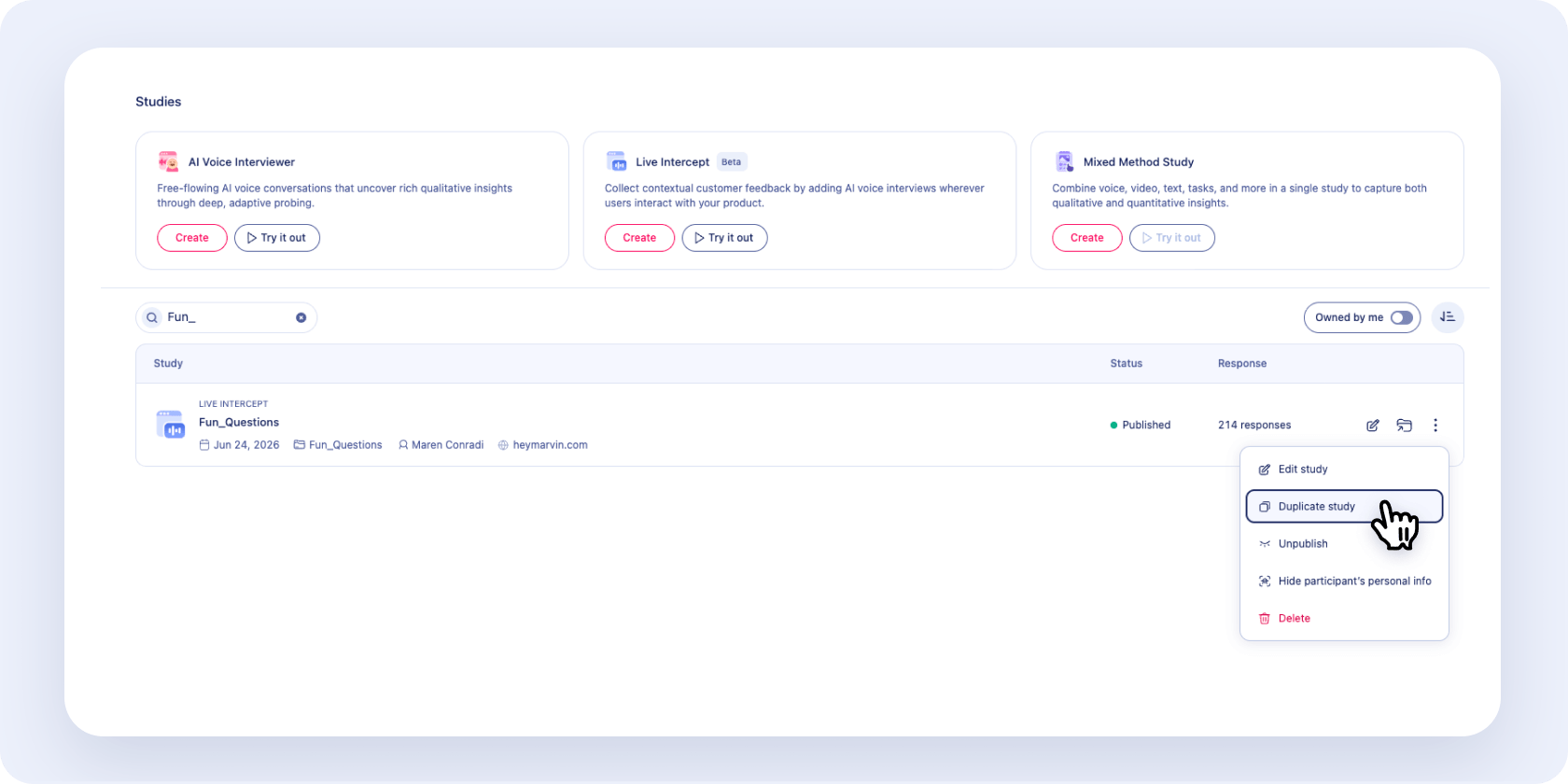
Duplicate the design, discussion guide, and settings of any AI intercept or AI Interviewer study to save time on setup. Responses already collected stay with the original study while the duplicate collects its own transcripts and recordings.
Set up studies quickly by duplicating an existing one
Duplicate the design, discussion guide, and settings of any AI intercept or AI Interviewer study to save time on setup. Responses already collected stay with the original study while the duplicate collects its own transcripts and recordings.
Marvin MCP now runs on Standard mode in Ask AI

Get in-depth answers that cite customer knowledge from Marvin, in your AI tools. Powered by Ask AI Standard mode, explorer agents scan all your customer knowledge and work through multiple rounds of analysis. Every answer comes back structured and ready to use.
Marvin MCP now runs on Standard mode in Ask AI
Get in-depth answers that cite customer knowledge from Marvin, in your AI tools. Powered by Ask AI Standard mode, explorer agents scan all your customer knowledge and work through multiple rounds of analysis. Every answer comes back structured and ready to use.
Qualtrics survey changes now sync to Marvin

Added new questions to your Qualtrics survey? Bring them into the existing import in Marvin. Choose which new questions to bring in, or add ones you skipped during setup. Responses to additional questions flow in automatically, so your analysis always reflects up-to-date data.
Qualtrics survey changes now sync to Marvin
Added new questions to your Qualtrics survey? Bring them into the existing import in Marvin. Choose which new questions to bring in, or add ones you skipped during setup. Responses to additional questions flow in automatically, so your analysis always reflects up-to-date data.


Be the first to know what's new in Marvin.