.png)
.svg)





As a designer, you are driven to create elegant solutions for complex human problems. But the creative process can be filled with uncertainty. You're constantly fighting design-by-committee and defending your choices against subjective opinions.
The old way is frustrating. But as Lacey Selvagn, a design lead at Field Nation, discovered, the biggest change comes from "how we are able to act on our research and take the insights and loop them back into the designs." An AI insights platform like Marvin connects you directly to the user’s voice, giving you the proof you need to design with conviction.
Here are five workflows to help you design better, faster, and with more certainty.

1. Kick off designs with evidence, not assumptions
The scenario: You’ve been assigned a redesign and find yourself staring at a blank Figma file, guessing where to start.
Your workflow in Marvin
Before you draw a single wireframe, you immerse yourself in the problem space. At REWE International, designers use Marvin exactly for this. As one designer said, "Every time I have a question, I can go there and I will find information. So it doesn't really matter what it is that I'm working on. I will find at least inspiration.”
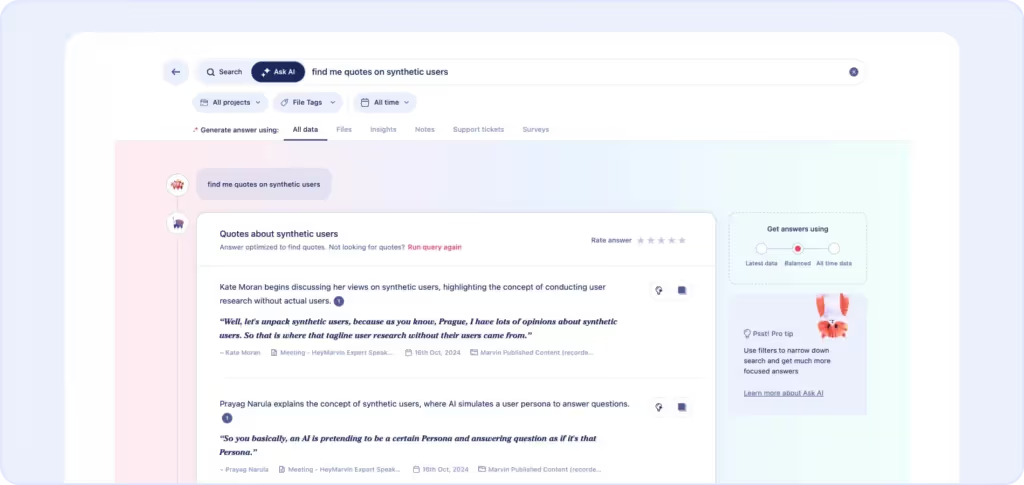
With Marvin's research repository and integrations, you can use Ask AI to query all past research with a simple question like, "Summarize the biggest user frustrations with our current checkout process." Then, with one click, you can export quotes directly to your FigJam board, starting your work surrounded by the real problems you need to solve.
Marvin in action: Start every project with a deep well of empathy. Use Marvin's repository and integrations to bring user needs directly into your design space.
2. Iterate on prototypes in hours, not days
The scenario: You've just run usability tests, and the insights you need are buried in hours of video. Your creative momentum is at risk.
The workflow in Marvin
Don't let manual review kill your flow. Field Nation's design team used Marvin to analyze feedback from over 20 accounts on a new beta, saving over 20 hours in the process. The impact was so significant that one designer said, "It’s hard to quantify a number because we just wouldn't do this if we didn't have Marvin.”
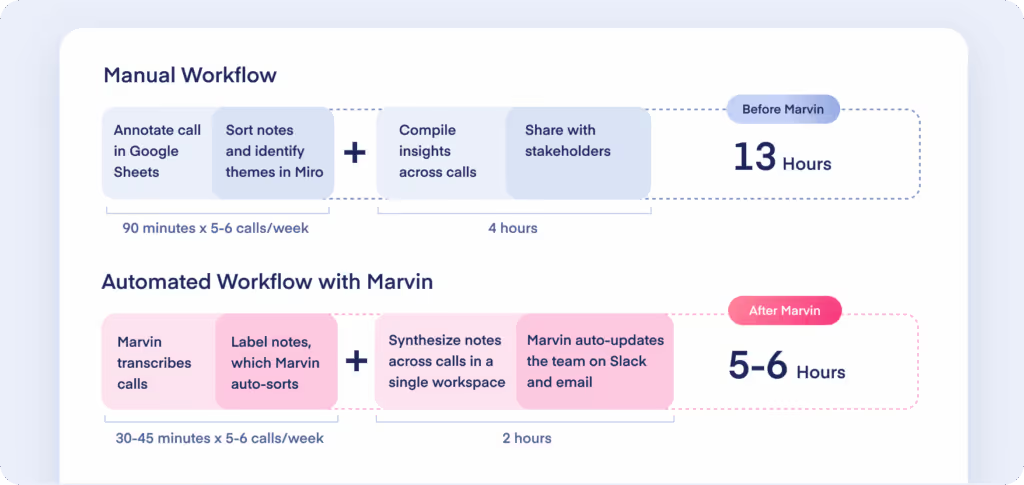
Upload your recordings to Marvin, and let it flag moments of confusion or frustration. You can review critical clips in minutes, create a "failure" playlist, and justify your design changes with undeniable video evidence.
Marvin in action: Compress your feedback loop from days to hours. Marvin's AI pinpoints usability issues so you can iterate faster and with more confidence.
3. Find your next big idea in user workarounds
The scenario: You have some downtime, and you're eager to innovate. Great designers don't wait for the next ticket; they hunt for unmet needs.
The workflow in Marvin
The best ideas often come directly from users. At Pantheon, the head of design proved the need for a mobile-responsive site by simply searching "mobile design" in Marvin. He instantly found quotes across 15 different studies showing it was a significant pain point.
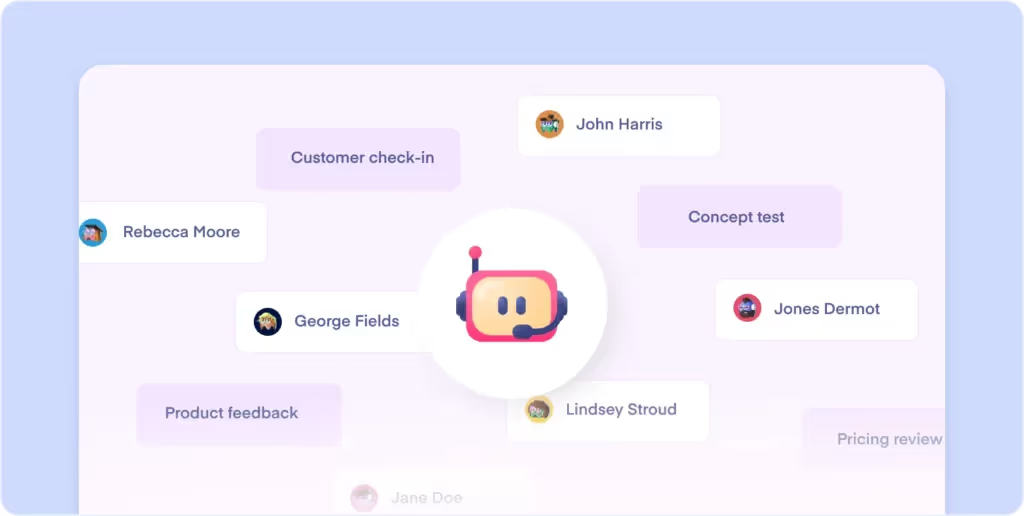
You can do the same. Use Marvin's Ask AI to ask exploratory questions like, "What are the most common workarounds users mention?" You might discover a hidden opportunity that becomes your next big feature, backed by user quotes you pulled in seconds.
Marvin in action: Go beyond your product roadmap. Use Marvin to analyze user behaviors at scale, and uncover the hidden opportunities that lead to breakthrough features.
4. End subjective UI copy debates with data
The scenario: Your team is stuck in a long debate over a UI element or a piece of copy. These subjective arguments kill productivity.
Your workflow in Marvin
You can end the debate in two minutes. Wave's marketing team uses research to dig into their audience and understand the "language they use." This is key to effective design.
You use Ask AI to get a quick, evidence-based answer. Ask a question like, "What are the main issues users face when trying to save their work?" Ask AI will respond with a summarized answer, but its real power for a designer lies in the citations.
You can click any citation to jump to the exact moment in a user interview video where that feedback was given. This allows you to see the user’s screen, understand their context, and witness their frustration firsthand. You can then capture that specific insight and export it to Figma to end the debate with a clear, user-backed example.
Marvin in action: Go from summary to source in one click. Use Ask AI's citations to find video proof that ends subjective arguments and clarifies user context.

5. Build shared customer empathy across your team
The scenario: You're kicking off a complex project. For it to be successful, the engineers need to understand the "why" just as deeply as you do.
Your workflow in Marvin
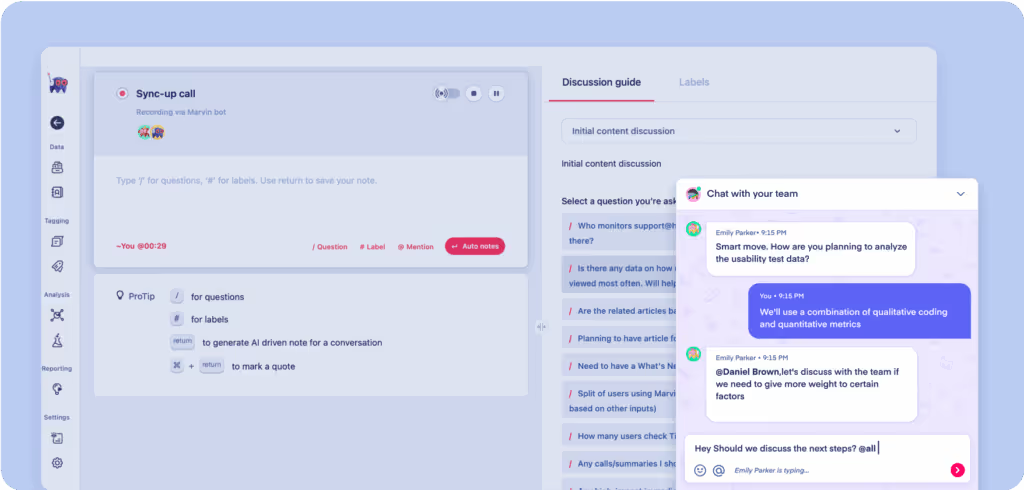
This is how you get true buy-in. Wave describes using Marvin's live stream feature to bring the user's voice to everyone. As Josh Litwin of Wave noted, "I’ve had sessions where 20 people were watching. It’s created more chances for people to say, ‘Hey, I’ve got 10 minutes, I’ll hop in.’ It just makes it all feel real for them, and that’s been great.”
You can curate an "empathy playlist" of the most powerful video clips and play it at a project kickoff. When engineers see the real person they're building for, the project becomes a shared mission. As Mahad Bullo of Included Health found, this makes research accessible to everybody, "from product teams to the clinical staff."
Marvin in action: Use Marvin's Playlists and live streams to make user pain visceral and real, aligning your entire team around a shared purpose.
Ready to elevate your influence?
Stop defending your designs with opinions, and start justifying them with proof. Marvin connects you directly to your users, giving you the evidence you need to lead your team to design better products.
Want to champion the strategic value of that evidence and elevate your role from maker to strategic partner? Our ebook provides proven strategies for connecting user-centric design to the business outcomes that get leadership's attention.
Download your free guide: 7 Real-World Strategies for Demonstrating Research Impact.
Or book a free demo today to see how Marvin can supercharge your design process.

See Marvin AI in action
Want to spend less time on logistics and more on strategy? Book a free, personalized demo now!